



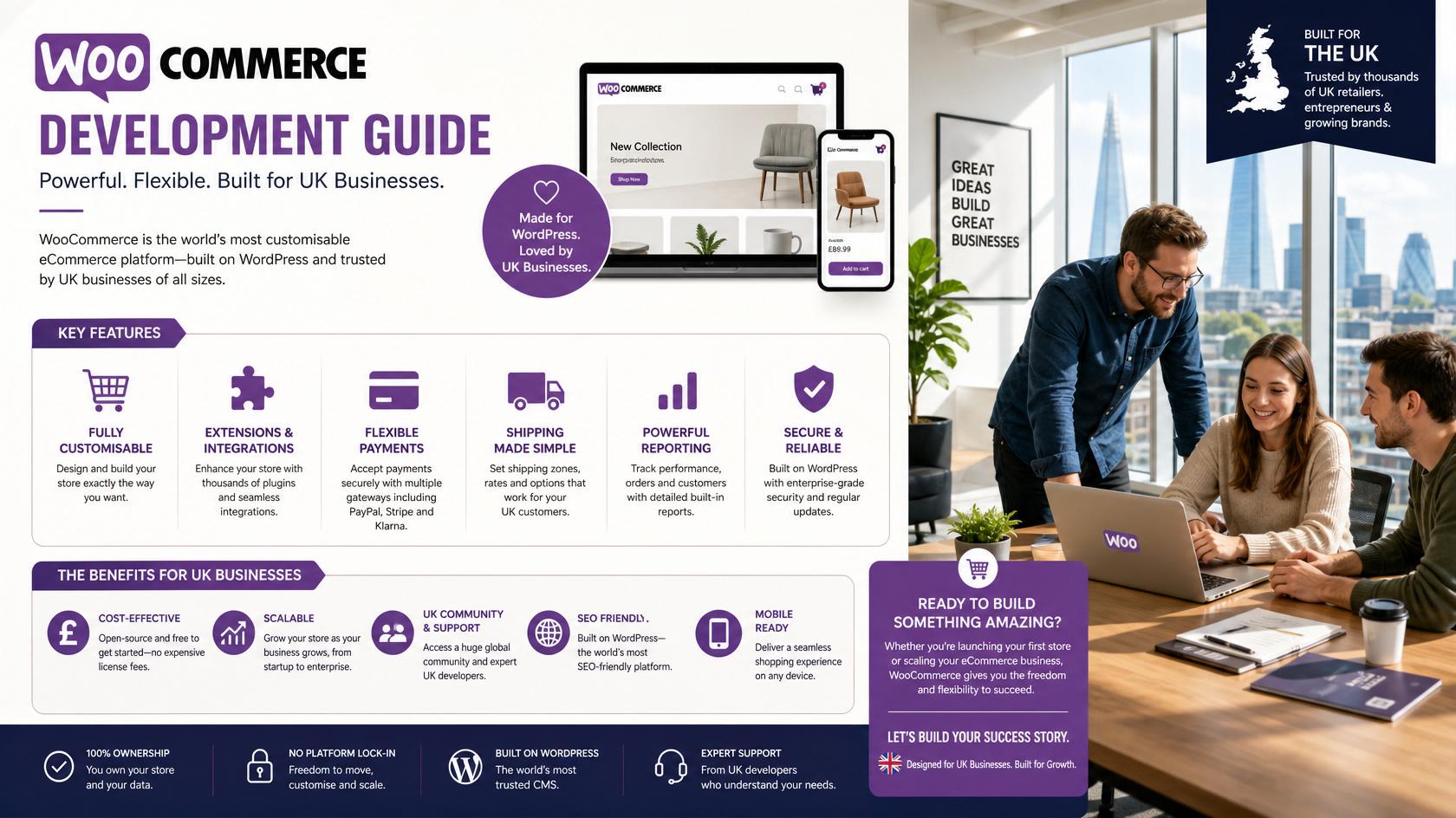
A complete guide to planning, building and maintaining a WooCommerce store for UK businesses, covering design, products, payments, delivery, SEO, security, performance and integrations.
WooCommerce is a flexible ecommerce platform built for WordPress. It can support small product catalogues, growing online stores, subscriptions, bookings, digital products, personalised products and business-to-business sales. Its flexibility is a major advantage, but successful WooCommerce development requires careful planning and disciplined plugin selection.
This guide explains the main decisions UK businesses should make before building or redesigning a WooCommerce store. The goal is not only to launch a shop, but to create a secure, fast and manageable sales platform.
WebCOSS provides ecommerce and WooCommerce development services for UK businesses. Explore the available solutions.
Is WooCommerce Right for Your Business?
WooCommerce is a strong choice when a business wants full control over WordPress content, flexible product structures and extensive customisation. It is particularly useful for companies that need content marketing, custom product options, multiple payment methods or integrations beyond a simple hosted-store setup.
It may not be the best option when the business has no capacity for maintenance, wants a completely managed platform or requires highly specialised enterprise functionality without a suitable technical team.
1. Define the Store Requirements
· Product types, categories and expected catalogue size.
· Simple, variable, grouped, digital, subscription or personalised products.
· Retail, trade or mixed customer groups.
· Payment methods and checkout requirements.
· Shipping zones, collection and delivery rules.
· Stock, fulfilment, accounting and CRM integrations.
· Content, SEO and marketing requirements.
· Maintenance responsibilities after launch.
2. Choose Suitable Hosting
WooCommerce requires hosting that can support database activity, product searches, customer sessions and checkout traffic. The hosting environment should provide SSL, backups, security controls, caching and a clear upgrade path. Cheap shared hosting may be unsuitable for a busy or plugin-heavy store.
3. Plan the Store Structure
Product categories should reflect how customers search and compare items. Avoid creating overlapping categories that confuse users and search engines. Navigation should make best-selling products, important ranges, delivery information, returns and contact options easy to find.
4. Use a Conversion-Focused Design
A WooCommerce website should be easy to use on mobile devices. Product pages need strong images, clear titles, useful descriptions, visible prices, variation selection, delivery information, trust signals and an obvious add-to-basket action. The basket and checkout should remove unnecessary distractions.
5. Prepare Accurate Product Data
High-quality product data improves customer confidence and reduces support questions. Create consistent naming, descriptions, attributes, variations, dimensions, stock information, images, SKU codes and delivery details. Product imports should be tested before large catalogues are uploaded.
6. Configure Payments Carefully
Select reputable payment providers that support the customer experience and business model. Test successful payments, failed payments, refunds, order emails and status changes. Transaction fees and provider terms should be reviewed separately from development costs.
7. Set Up UK Delivery and Tax Rules
Shipping may use flat rates, free-delivery thresholds, postcode zones, weight, product class, collection or live carrier calculations. Tax and invoicing rules should be confirmed with an accountant or qualified adviser. The website should clearly explain delivery times, restrictions, returns and customer responsibilities.
8. Select Plugins with Discipline
Plugins can add valuable functionality, but installing multiple tools for overlapping features creates risk. Use reputable, supported plugins and record licence ownership. Custom development is preferable when an essential requirement cannot be implemented reliably with an established extension.
9. Optimise WooCommerce Performance
· Compress product images and use appropriate dimensions.
· Reduce unnecessary plugins, scripts and tracking tools.
· Configure page caching without breaking basket or checkout sessions.
· Optimise the database and scheduled tasks.
· Use a content delivery network where appropriate.
· Test category, search, product and checkout pages on real devices.
10. Build an Ecommerce SEO Foundation
Each important category and product should have a unique search-friendly title, description, URL and content. Use internal links, product schema, canonical tags and a clean sitemap. Avoid thin category pages, copied supplier descriptions and uncontrolled filter URLs that create duplicate content.
11. Protect the Store
Keep WordPress, WooCommerce, themes and plugins updated. Use strong administrator access, backups, monitoring and secure payment integrations. Test updates in a staging environment when the store is business-critical. Security is an ongoing process rather than a one-time plugin installation.
12. Connect Business Systems
WooCommerce can connect to accounting, inventory, fulfilment, email marketing, CRM and marketplace tools. Define which platform owns each piece of data and how failures will be handled. A reliable integration should reduce manual work rather than introduce duplicate or inconsistent records.
13. Plan Ongoing Maintenance and Growth
After launch, review conversion rate, abandoned baskets, search terms, popular products, returns and support questions. Use this information to improve navigation, product content, checkout and promotions. Schedule backups, updates, performance reviews and security checks.
Build Your WooCommerce Store with WebCOSS
WebCOSS develops mobile-friendly WooCommerce stores, custom ecommerce features and business integrations for UK companies. Review current website packages at https://webcoss.com/pricing or request a tailored WooCommerce quotation.
Need help planning or improving your digital platform?
WebCOSS can help translate your goals into a practical website, ecommerce, SEO or custom software roadmap.