

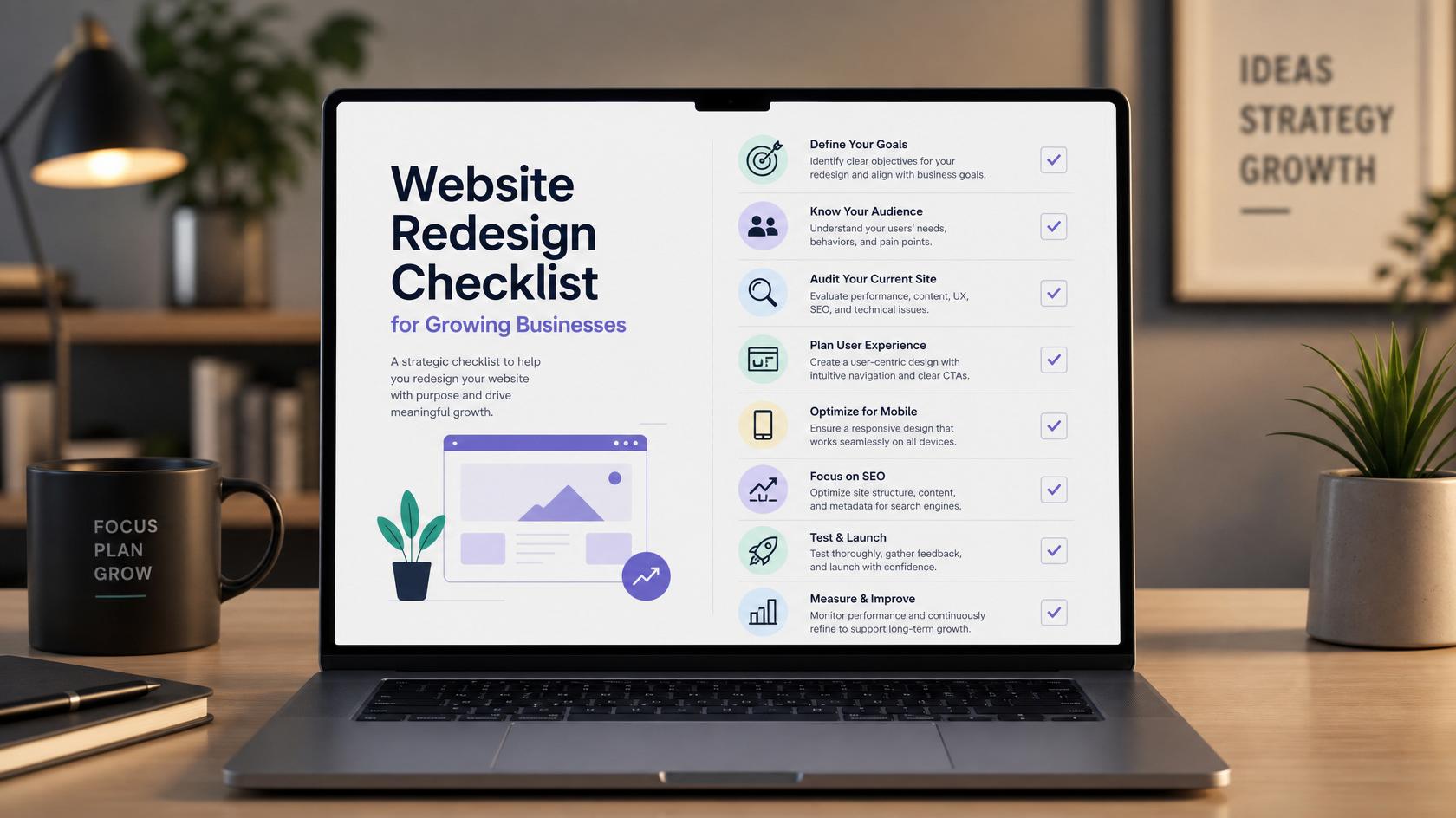
Use this practical website redesign checklist to improve branding, mobile usability, speed, SEO, content, conversion, technology and post-launch performance without losing valuable traffic.
A website redesign should do much more than make your business website look newer.
A properly planned redesign can improve organic search visibility, website speed, mobile usability, user experience, conversions, branding and long-term scalability.
But a poorly managed redesign can cause the opposite: lost Google rankings, broken URLs, missing pages, damaged internal links, slower performance and reduced enquiries.
This is why businesses should approach website redesign as a combination of web design, SEO, content strategy, UX, technical development and conversion optimisation.
If your current website no longer represents your business or supports your growth, WebCOSS provides professional business website design services covering responsive design, SEO-friendly structure, performance and lead-generation requirements.
This complete website redesign checklist for 2026 explains everything you should review before redesigning your website, during development, immediately before launch and after your redesigned website goes live.
Website Redesign Checklist: Quick Overview
A successful website redesign should cover:
-
Business goals
-
Existing website performance
-
Analytics and conversions
-
Competitor research
-
Keyword research
-
Existing rankings
-
URL inventory
-
Backlink analysis
-
Website architecture
-
Navigation
-
Content audit
-
Search intent
-
On-page SEO
-
Technical SEO
-
Mobile usability
-
Core Web Vitals
-
Website accessibility
-
Conversion optimisation
-
301 redirects
-
Canonical URLs
-
Internal linking
-
Structured data
-
XML sitemap
-
Robots directives
-
Analytics tracking
-
Forms and integrations
-
Security
-
Staging environment
-
Pre-launch testing
-
Post-launch SEO monitoring
Let's go through each area in detail.
What Is a Website Redesign?A website redesign is the process of substantially improving an existing website's design, structure, content, functionality, technology or user experience.
A redesign may include:
-
creating a new visual design;
-
reorganising website navigation;
-
rebuilding service pages;
-
improving mobile responsiveness;
-
improving website speed;
-
changing the CMS;
-
rewriting outdated content;
-
rebuilding forms and conversion journeys;
-
introducing new functionality;
-
updating URLs;
-
improving technical SEO;
-
improving website accessibility;
-
adding structured data;
-
improving analytics and conversion tracking.
For businesses whose biggest problem is mobile usability, a complete rebuild may not always be necessary. Reviewing your existing site against professional mobile-friendly website design practices can help determine whether responsive improvements are enough or whether a larger redesign is justified.
Website Redesign vs Website RefreshNot every website needs to be completely rebuilt.
Website Refresh
A website refresh normally keeps the main technology and structure while improving:
-
colours;
-
typography;
-
imagery;
-
content;
-
calls to action;
-
page layouts;
-
selected navigation elements.
A refresh makes sense when the underlying website is technically healthy but visually or commercially outdated.
Website Redesign
A full redesign becomes more appropriate when there are larger problems such as:
-
outdated technology;
-
poor mobile usability;
-
confusing navigation;
-
weak organic search visibility;
-
difficult content management;
-
poor website performance;
-
major branding changes;
-
new products or services;
-
security concerns;
-
poor conversion journeys;
-
limitations in existing functionality.
The decision should be based on measurable problems—not simply because a competitor has launched a newer-looking website.
Part 1: Website Redesign Planning1. Define Why You Are Redesigning Your Website
Start by identifying the actual problems.
Common reasons include:
-
your website no longer represents your brand;
-
visitors cannot easily understand what you offer;
-
mobile usability is poor;
-
important pages load slowly;
-
organic traffic has stagnated;
-
visitors arrive but do not enquire;
-
navigation has become complicated;
-
the website cannot support new services;
-
administration is difficult;
-
integrations are unreliable;
-
your CMS or technology is outdated.
Document these issues before discussing design.
Otherwise, the project can easily become focused on appearance while the real business problems remain unresolved.
2. Set Measurable Website Redesign Goals
Avoid vague objectives such as:
Make the website modern.
Use measurable goals such as:
-
increase qualified website enquiries;
-
improve organic search traffic;
-
increase online bookings;
-
improve ecommerce conversions;
-
improve visibility for priority services;
-
reduce mobile abandonment;
-
improve important page-load metrics;
-
increase telephone calls;
-
simplify key customer journeys;
-
improve content publishing efficiency.
Record your current results before starting development.
This gives you a baseline against which the redesigned site can later be measured.
3. Understand Your Target Audience
Define:
-
who your customers are;
-
which problems they need solved;
-
what information they require;
-
their common objections;
-
what they search for;
-
which devices they use;
-
what action they should take;
-
which pages should help them take it.
Your website structure should follow customer needs rather than your internal organisational structure.
Part 2: Audit the Existing Website4. Never Redesign Before Auditing Your Current Website
One of the biggest website redesign mistakes is removing pages without understanding their existing value.
Before changing anything, analyse:
Organic traffic
Identify pages attracting visitors from Google, Bing and other search engines.
Search rankings
Record important keywords and the landing pages currently ranking for them.
Conversions
Identify pages producing:
-
enquiries;
-
purchases;
-
bookings;
-
telephone calls;
-
registrations;
-
downloads.
Backlinks
Find pages that have earned external links.
Engagement
Review how visitors navigate through important customer journeys.
Content
Classify pages as:
-
keep;
-
improve;
-
consolidate;
-
redirect;
-
remove.
A page should never be deleted simply because it looks old.
It might still generate traffic, rankings, links or sales.
5. Crawl Every Existing URL
Create a complete inventory of your existing website.
Record:
Field What to record Existing URL Current page address Status 200, 301, 404 etc. Page title Current SEO title Meta description Current description H1 Primary heading Canonical Preferred URL Indexability Index / noindex Organic traffic Existing search traffic Rankings Important keywords Backlinks External link value New URL Planned destination Action Keep, improve, redirect or removeThis inventory becomes your SEO migration document.
Part 3: Website Redesign Keyword Research6. Complete Keyword Research Before Creating the New Sitemap
Do not finish designing your website architecture and then ask someone to "add SEO."
Keyword research should influence the structure from the beginning.
Research:
-
primary service keywords;
-
product keywords;
-
commercial keywords;
-
informational questions;
-
location searches;
-
industry-specific terms;
-
comparison searches;
-
problem-based searches;
-
long-tail keywords.
For example, WebCOSS does not rely on one generic Services page alone. Different requirements are supported through dedicated services including custom web development, business website design and SEO and digital growth.
This allows each important search intent to be addressed properly.
7. Understand Search Intent
A keyword is only useful if you understand why someone searched for it.
Informational Intent
The visitor wants information.
Examples:
-
website redesign checklist
-
how to redesign a website
-
signs a website needs redesigning
Commercial Investigation
The visitor is evaluating providers or solutions.
Examples:
-
best website redesign company UK
-
website redesign services
-
WordPress redesign agency
Transactional Intent
The visitor is ready to take action.
Examples:
-
hire website redesign company
-
website redesign quote
-
business website redesign services
Navigational Intent
The visitor is looking for a specific company or website.
Create pages around distinct user intent rather than producing several near-identical pages targeting small keyword variations.
Part 4: Competitor Research8. Analyse Search Competitors
Your offline competitors may not be the websites competing with you in Google.
Search your important keywords and examine the strongest results.
Review:
-
headings;
-
content depth;
-
page structure;
-
FAQ topics;
-
examples;
-
images;
-
videos;
-
tables;
-
calculators;
-
internal links;
-
external references;
-
structured data;
-
search intent;
-
page usability.
The objective is not to copy competitors.
Instead, identify the unanswered questions and missing information that your page can provide better.
Part 5: Plan an SEO-Friendly Website Architecture9. Build a Logical Sitemap
A service business might use:
Home
About
Services
-
Service A
-
Service B
-
Service C
Industries
Projects / Case Studies
Blog / Resources
Contact
WebCOSS, for example, groups its development, ecommerce, website design and SEO capabilities through its central web design and development services page.
Keep commercially important pages easily reachable.
Avoid burying key services six or seven clicks away from the homepage.
10. Improve Website Navigation
Visitors should be able to quickly understand:
-
what you provide;
-
who you help;
-
where important services are;
-
how your process works;
-
how to contact you.
Larger websites can use:
-
organised dropdown menus;
-
mega menus;
-
breadcrumbs;
-
contextual links;
-
related services;
-
related resources.
Internal navigation is important for users and also helps search engines discover and understand website content.
Part 6: Protect SEO During the Redesign11. Keep Existing URLs Whenever Possible
If an existing URL performs well and accurately describes its content, there may be no benefit in changing it.
Avoid unnecessary changes such as replacing a clean URL with a longer keyword-heavy version simply for SEO.
URL stability can make a redesign considerably easier to manage.
12. Create a 301 Redirect Map
When URLs genuinely must change, map every old page to the most appropriate new page.
Example:
Old Page New Page Action Old service page New equivalent service 301 Old about page New about page 301 Existing ranking page Same URL Keep Duplicate page Main equivalent page 301Google's current site-migration documentation recommends preparing an old-to-new URL mapping and implementing server-side redirects when URLs change. Significant migrations may also temporarily fluctuate while Google recrawls the website. Read Google's site migration guidance
Avoid:
-
redirect chains;
-
redirect loops;
-
mass redirects to the homepage;
-
redirecting to unrelated pages;
-
leaving valuable legacy URLs as accidental 404s.
13. Preserve High-Performing Content
Do not completely rewrite a ranking page unless there is a good reason.
Determine which elements may already be helping:
-
relevant copy;
-
headings;
-
FAQs;
-
topic coverage;
-
internal links;
-
external links;
-
images;
-
search intent alignment;
-
backlinks.
Improve weaknesses without unnecessarily removing existing value.
14. Protect Internal Links
Internal links can be broken when URLs and page templates change.
Audit links between:
-
service pages;
-
blog content;
-
products;
-
projects;
-
industries;
-
location pages;
-
supporting guides.
Use descriptive anchor text where natural.
For example, users reading about ongoing improvements after a redesign can be directed to WebCOSS website maintenance and support services rather than using generic text such as "click here."
Part 7: On-Page SEO Checklist15. Write Unique SEO Titles
Every important page should have a descriptive title.
Weak:
Services | Company Name
Stronger:
Business Website Design Services | Company Name
Do not force the same keyword into every title.
Match each page with its actual search intent.
16. Improve Meta Descriptions
Meta descriptions should summarise:
-
what the page provides;
-
who it is relevant to;
-
the benefit;
-
what makes the result worth opening.
Avoid automatically copying the same description across multiple pages.
17. Use a Logical Heading Structure
A good page usually uses:
H1 — main topic
H2 — major sections
H3 — supporting subsections
Do not select headings based only on font size.
Use HTML headings to describe the actual content structure.
18. Review Canonical URLs
Confirm that every indexable page points to the intended canonical version.
Pay extra attention after changing:
-
domain names;
-
HTTPS configuration;
-
URL structures;
-
ecommerce filters;
-
parameters;
-
pagination;
-
category architecture.
Incorrect canonicals can cause search engines to select a different URL from the one you intended.
19. Review Robots Directives
Staging websites commonly use noindex, authentication or robots rules to keep development pages out of search engines.
Before launch, confirm those protections have not accidentally carried over to production.
Check:
-
robots.txt;
-
;
-
X-Robots-Tag headers;
-
CMS search visibility settings.
20. Build Content Around Real Customer Questions
Strong business pages should answer more than "who we are."
For each major service, consider:
-
What is the service?
-
Who is it for?
-
Which problems does it solve?
-
What is included?
-
What is the process?
-
How long does it take?
-
What affects the price?
-
What technologies are used?
-
What happens after launch?
-
What should the customer prepare?
-
What related services might be needed?
-
What should the visitor do next?
This creates natural topical depth without keyword stuffing.
21. Consolidate Thin and Duplicate Pages
Website growth often produces obsolete or overlapping pages.
These may include:
-
near-identical services;
-
old campaigns;
-
duplicate categories;
-
obsolete announcements;
-
outdated landing pages;
-
thin tag archives.
For each page decide:
Keep
Useful and already performs well.
Improve
Topic is worthwhile but quality is weak.
Merge
Two or more pages satisfy the same search intent.
Redirect
A better destination exists.
Remove
There is no user value or suitable replacement.
Part 9: Mobile Website Redesign22. Design for Mobile Users
Your website should work naturally on:
-
smartphones;
-
tablets;
-
laptops;
-
desktop screens.
Review:
-
menu usability;
-
heading sizes;
-
content spacing;
-
touch targets;
-
buttons;
-
forms;
-
tables;
-
pop-ups;
-
checkout;
-
booking flows.
Businesses struggling specifically with mobile UX can review WebCOSS' responsive and mobile-friendly website design service for the main areas that should be considered during redevelopment.
Part 10: Core Web Vitals and Performance23. Treat Performance as Part of the Design
Do not build a heavy website and try to optimise it at the end.
Pay attention to:
-
hero images;
-
video backgrounds;
-
large sliders;
-
web fonts;
-
JavaScript;
-
third-party trackers;
-
animation libraries;
-
cookie-management scripts;
-
plugins;
-
server response;
-
caching.
Google's current Core Web Vitals guidance recommends aiming for:
Metric Good target LCP ≤ 2.5 seconds INP < 200 ms CLS < 0.1These metrics represent loading performance, responsiveness and visual stability. Google Core Web Vitals documentation
A visually impressive redesign should still feel responsive and stable.
24. Optimise Website Images
For important images:
-
resize them appropriately;
-
compress them;
-
use efficient formats where supported;
-
serve responsive dimensions;
-
lazy-load suitable below-the-fold imagery;
-
provide appropriate ALT text.
Avoid using ALT text as a keyword field.
Describe meaningful images clearly.
25. Avoid Excessive Animation
Modern websites can easily become overloaded with:
-
scroll animations;
-
video backgrounds;
-
parallax;
-
oversized sliders;
-
JavaScript effects.
Before adding an animation, ask:
Does this improve the user experience or simply create movement?
Performance and usability should come before decorative effects.
Part 11: Website Accessibility26. Include Accessibility During Development
Review:
-
colour contrast;
-
keyboard navigation;
-
focus states;
-
descriptive links;
-
meaningful buttons;
-
form labels;
-
validation messages;
-
heading order;
-
semantic HTML;
-
image alternative text;
-
video captions where relevant.
Accessibility should be part of the design system rather than added after launch.
Part 12: Conversion Optimisation27. Give Every Important Page a Clear Goal
Commercial pages should have a primary next action.
Depending on the business, this could be:
-
request a quote;
-
schedule a consultation;
-
telephone;
-
book;
-
buy;
-
register;
-
start a trial;
-
download a guide.
Avoid giving visitors several equally prominent competing actions.
28. Improve Calls to Action
Instead of:
Submit
consider:
Request a Website Review
Instead of:
Learn More
consider:
Explore Business Website Design
Calls to action should tell visitors what happens next.
For businesses planning a redesign, WebCOSS provides a direct website project consultation route for discussing current problems, functionality, budget and project requirements.
29. Reduce Form Friction
Request only the information required for the current stage.
A first enquiry normally does not require dozens of fields.
Additional project information can be collected later.
Part 13: Technical Website Redesign Checklist30. Choose Technology Based on Requirements
Evaluate:
-
CMS requirements;
-
ecommerce requirements;
-
integrations;
-
performance;
-
security;
-
scalability;
-
maintenance;
-
hosting;
-
future development;
-
ownership;
-
licensing.
Do not choose a framework or CMS simply because it is currently popular.
Websites needing workflows, portals, APIs, dashboards or specialised functionality may require custom web development rather than a conventional brochure-site setup.
31. Use a Proper Staging Environment
Major redesigns should be developed outside the live production website.
The staging version should allow testing of:
-
pages;
-
forms;
-
metadata;
-
functionality;
-
integrations;
-
redirects;
-
responsive layouts;
-
user journeys.
Keep staging environments out of public search results.
32. Review Website Security
A redesign is also an opportunity to improve security.
Check:
-
HTTPS;
-
software updates;
-
administrator permissions;
-
passwords and authentication;
-
backups;
-
file-upload restrictions;
-
form validation;
-
database security;
-
security headers;
-
unnecessary plugins;
-
exposed development files;
-
server configuration.
Before publishing the redesigned site, perform a complete QA review.
SEO
-
Unique page titles
-
Meta descriptions
-
One clear H1
-
Correct heading hierarchy
-
Correct canonical URLs
-
Correct robots directives
-
Structured data checked
-
Internal links updated
-
XML sitemap created
-
Redirect mapping implemented
-
Broken links checked
-
Important content migrated
-
Image ALT text reviewed
Functionality
-
Contact forms
-
Email notifications
-
Booking systems
-
Ecommerce checkout
-
Customer accounts
-
Website search
-
Filters
-
Downloads
-
CRM integrations
-
Payment integrations where applicable
UX
-
Mobile layouts
-
Tablet layouts
-
Desktop layouts
-
Navigation
-
Buttons
-
Pop-ups
-
Forms
-
Keyboard navigation
Performance
-
Images optimised
-
Caching configured
-
JavaScript reviewed
-
Fonts reviewed
-
Third-party scripts reviewed
-
Main templates tested
Analytics
-
Analytics installed
-
Search Console verified
-
Conversion events working
-
Contact forms tracked
-
Ecommerce tracking working where applicable
-
Consent configuration reviewed
Infrastructure
-
DNS plan confirmed
-
SSL configured
-
Email configuration checked
-
Production backup created
-
Rollback process prepared
33. Take a Complete Backup
Before deployment, retain a recoverable copy of the existing website.
Include relevant:
-
files;
-
database;
-
configuration;
-
media;
-
redirect information.
34. Test the Production Website
Staging tests are not enough.
Immediately after launch, test real production journeys including:
-
navigation;
-
forms;
-
accounts;
-
search;
-
purchasing;
-
bookings;
-
emails;
-
payment processes where applicable.
35. Test All Redirects
Test:
Old URL → Final new URL
Avoid unnecessary chains:
Old URL → Temporary URL → New URL
Google recommends permanent redirects such as 301 or 308 when pages have permanently moved. Google redirect documentation
36. Check Indexability Immediately
Verify that important production URLs do not contain accidental:
-
noindex; -
blocked robots directives;
-
incorrect canonical URLs;
-
authentication requirements.
37. Submit the XML Sitemap to Google
Submit your production XML sitemap in Google Search Console.
Google's Sitemaps report allows site owners to submit a sitemap and monitor whether Google can fetch and process it. Google Search Console sitemap documentation
38. Submit the Website to Bing
Do not optimise solely for Google.
Verify your website in Bing Webmaster Tools and submit the XML sitemap there as well.
Bing supports XML sitemaps and provides sitemap-processing information through Webmaster Tools. Bing Webmaster Tools sitemap documentation
Bing can also import verified websites from Google Search Console. Bing website verification documentation
Part 16: Post-Launch SEO Checklist39. Monitor 404 Errors
Unexpected missing pages can indicate:
-
missed redirects;
-
outdated internal links;
-
removed content;
-
incorrect migrations.
Investigate valuable URLs rather than automatically redirecting every 404 to the homepage.
40. Monitor Organic Traffic
Compare performance against your pre-launch baseline.
Analyse:
-
homepage traffic;
-
service pages;
-
product/category pages;
-
blogs;
-
location pages;
-
high-converting landing pages.
41. Track Keyword Rankings
Monitor important query groups and their landing pages.
Do not panic over normal day-to-day ranking changes.
Look for larger patterns.
If an entire section declines, investigate:
-
redirects;
-
content migration;
-
technical templates;
-
internal links;
-
indexability;
-
canonicals.
42. Monitor Google Search Console
Review:
-
page indexing;
-
crawl problems;
-
search performance;
-
sitemaps;
-
Core Web Vitals;
-
manual actions;
-
security problems.
Google notes that significant migrations can temporarily fluctuate while old and new URLs are crawled and reprocessed. Google site migration guidance
43. Monitor Bing Webmaster Tools
Review Bing for:
-
indexed pages;
-
crawl information;
-
SEO reports;
-
backlinks;
-
keywords;
-
sitemap status.
This provides additional visibility beyond Google.
44. Monitor Conversions
Ultimately, your website needs to support business results.
Monitor:
-
enquiries;
-
calls;
-
bookings;
-
purchases;
-
registrations;
-
quote requests;
-
downloads.
A redesigned website that receives the same traffic but generates significantly more qualified enquiries may still be a major success.
Common Website Redesign MistakesChanging Every URL
Do not change URLs simply because a website is being redesigned.
Redesigning Without an SEO Audit
You cannot protect traffic and rankings if you do not know which pages currently create them.
Deleting Valuable Content
Old content can still have significant SEO and backlink value.
Redirecting Everything to the Homepage
Use the closest relevant destination.
Forgetting Internal Links
Update links to point directly to their new destinations.
Launching With Noindex
Verify indexability immediately after launch.
Prioritising Design Over Performance
Large video, animation and scripts can make an attractive website unpleasant to use.
Ignoring Mobile Users
Test every major conversion path on mobile.
Forgetting Tracking
You cannot measure the redesign if analytics and conversion events stop working.
How Long Does a Website Redesign Take?There is no universal redesign timeline.
A relatively small business website may take several weeks, while ecommerce stores, portals, multilingual sites and complex custom platforms may take significantly longer.
Timeline depends on:
-
page count;
-
custom design;
-
content;
-
functionality;
-
integrations;
-
ecommerce requirements;
-
data migration;
-
approvals;
-
SEO migration;
-
quality assurance.
For a broader understanding of how professional projects progress, see the WebCOSS web development services and delivery process.
How Much Does a Website Redesign Cost?Website redesign costs vary considerably according to scope.
Factors include:
-
number of pages;
-
design requirements;
-
CMS;
-
custom functionality;
-
ecommerce;
-
integrations;
-
content;
-
SEO;
-
migration;
-
hosting;
-
ongoing maintenance.
Instead of selecting a provider purely by the lowest quotation, compare exactly what is included.
A redesign that later requires technical rebuilding or SEO recovery can ultimately cost more.
WebCOSS publishes indicative packages on its website pricing page, although final project costs depend on functionality, content, integrations and scope.
Does Website Redesign Affect SEO?Yes.
Website redesign can affect SEO because it can change:
-
URLs;
-
content;
-
internal linking;
-
navigation;
-
page templates;
-
website speed;
-
structured data;
-
canonical URLs;
-
mobile usability;
-
crawlability;
-
indexing directives.
However, redesigning a website does not automatically mean losing rankings.
The biggest risks usually come from poorly managed changes.
How Do You Redesign a Website Without Losing SEO?Follow this process:
-
Crawl the old website.
-
Export existing URLs.
-
Record organic traffic.
-
Record important rankings.
-
identify backlinks.
-
Preserve valuable content.
-
Keep successful URLs where possible.
-
Map changed URLs.
-
Implement permanent redirects.
-
Update internal links.
-
Check titles and headings.
-
Review canonical URLs.
-
Verify robots directives.
-
Generate the XML sitemap.
-
Submit search-engine sitemaps.
-
Monitor indexing after launch.
-
Monitor traffic and rankings.
-
Investigate unexpected changes quickly.
SEO migration should be planned before development is finished, not after the redesigned site launches.
For businesses needing help with keyword targeting, technical optimisation and search-focused content, WebCOSS provides dedicated SEO and Digital Growth services.
How Often Should You Redesign a Website?There is no fixed number of years.
A website should be redesigned when meaningful problems justify the investment.
Signs include:
-
poor mobile UX;
-
weak conversions;
-
outdated branding;
-
slow pages;
-
security limitations;
-
difficult navigation;
-
outdated technology;
-
limited CMS functionality;
-
inability to support new services;
-
recurring technical problems.
A properly maintained website can often evolve through incremental improvements without requiring frequent complete rebuilds.
WebCOSS also provides ongoing website maintenance and support for businesses that need continued technical improvements after launch.
Final Website Redesign ChecklistBefore considering the redesign complete, verify these five areas.
1. SEO
Protect rankings, URLs, backlinks, internal links, metadata and important content.
2. User Experience
Improve mobile usability, navigation, accessibility and performance.
3. Conversion
Make important customer journeys and calls to action clear.
4. Technical Quality
Check security, redirects, canonical URLs, analytics, integrations and indexing.
5. Future Growth
Make sure the website is maintainable, scalable and ready for continued SEO and content improvement.
Planning a Website Redesign?A successful website redesign should protect what already works while fixing the limitations preventing future growth.
WebCOSS combines website strategy, responsive design, custom development, technical SEO, performance optimisation and ongoing support to help businesses rebuild websites around practical commercial requirements.
Explore our Business Website Design service, review our broader Web Design and Development Services, or contact WebCOSS about your website redesign project.
A redesign should not erase the authority your existing website has already earned.
It should create a stronger foundation for the next stage of your business growth.
Frequently Asked Questions
Quick answers related to this article.
How long does SEO recovery take after a redesign?
There is no fixed period. The impact depends on the scale of changes, number of URLs, website size, crawlability, server performance and how accurately the migration was implemented.
What should I monitor after a website redesign?
Monitor search traffic, rankings, indexing, 404 errors, Core Web Vitals, conversions, forms, analytics, redirects and important customer journeys.
Should old blog posts be kept during a redesign?
Useful articles with rankings, traffic, backlinks or relevant content should normally be preserved or carefully improved.
How do I know whether my website needs redesigning?
Look for measurable issues including poor conversions, mobile problems, slow performance, confusing navigation, outdated technology and inability to support business requirements.
What is the difference between a website redesign and website refresh?
A refresh normally changes visual or content elements while preserving most of the underlying website. A redesign involves larger structural, technical or functional changes.
Should SEO be done before or after redesigning?
SEO should start before the redesign. Keywords, search intent, URL structure, site architecture and existing rankings should influence planning.
Are 301 redirects important during a website redesign?
Yes. Permanent redirects help users and search engines reach replacement pages when old URLs change.
Should I change URLs during a website redesign?
Only when there is a clear structural or usability reason. Existing URLs with ranking history should normally be preserved when practical.
Can a website redesign hurt SEO?
Yes, particularly when URLs, content, internal links or technical SEO elements change without migration planning.
What should be included in a website redesign checklist?
A complete checklist should cover strategy, analytics, keyword research, SEO, content, website architecture, UX, mobile design, accessibility, speed, redirects, security, testing, analytics and post-launch monitoring.
Tell us about your project
Send the key details and WebCOSS will reply with practical next steps.
Need help planning or improving your digital platform?
WebCOSS can help translate your goals into a practical website, ecommerce, SEO or custom software roadmap.