


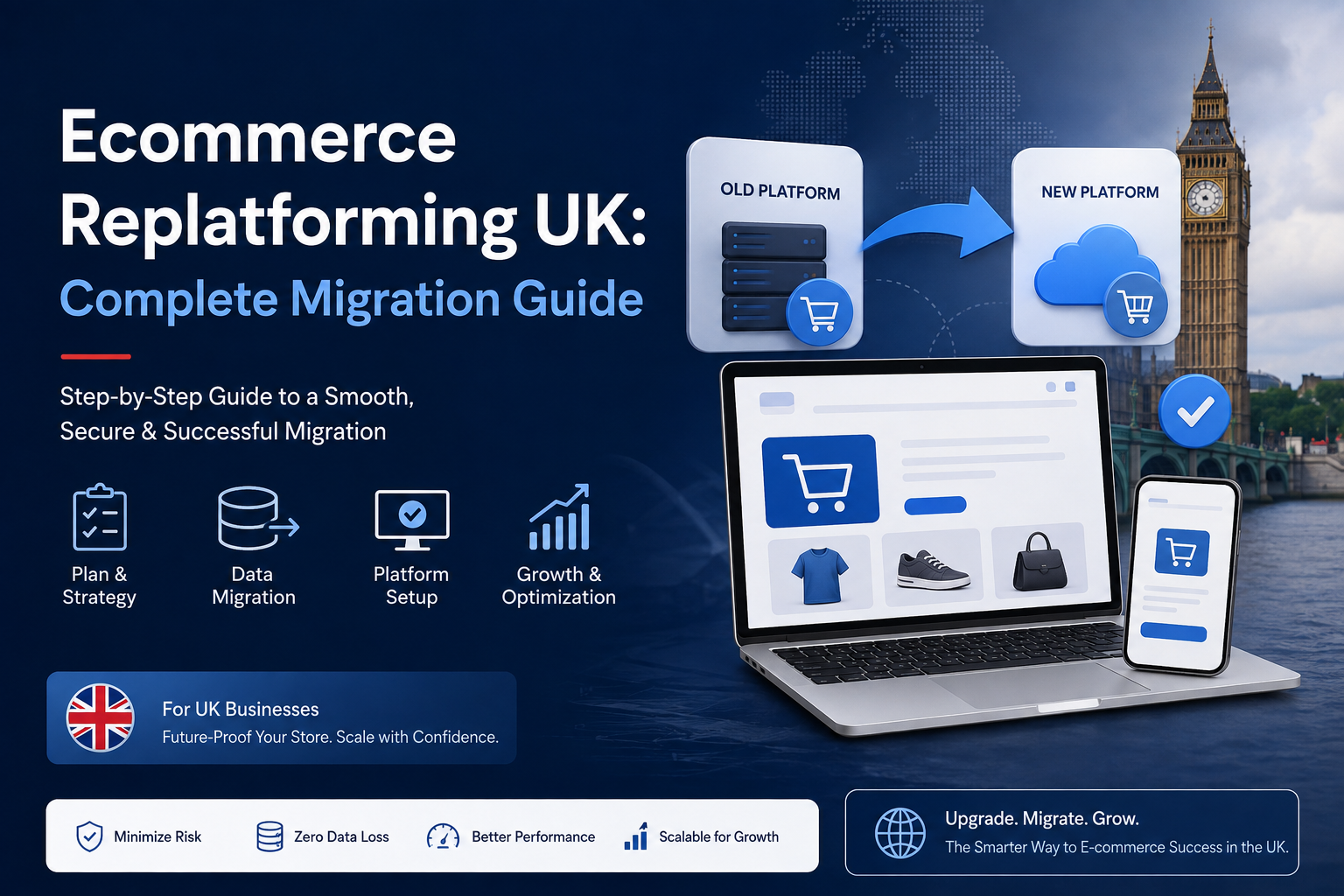
Ecommerce replatforming is the process of moving an online store from one ecommerce platform to another to improve performance, scalability, flexibility, security and the overall customer experience. As an ecommerce business grows, its original platform may no longer provide the features, integratio
For many UK ecommerce businesses, the platform that helped launch an online store eventually becomes the platform holding it back.
As product catalogues expand, order volumes increase and customer expectations change, an ecommerce website can become slower, harder to manage and increasingly expensive to maintain. Integrations that once worked well may become restrictive, checkout customisation may be limited, and adding new functionality may require complicated workarounds.
This is where ecommerce replatforming becomes valuable.
Ecommerce replatforming is the process of moving an existing online store from its current ecommerce technology or platform to a new solution that better supports the company's present and future requirements.
However, moving an ecommerce store is considerably more complex than redesigning a normal website. Products, customers, orders, URLs, SEO signals, payment systems, analytics, integrations and business-critical data may all need to be transferred without disrupting ongoing sales.
This complete guide explains ecommerce replatforming for UK businesses, including when to replatform, how migration works, SEO considerations, platform selection, costs, risks and how to create a practical ecommerce migration strategy.
If your existing platform is restricting growth, WebCOSS can help assess your current ecommerce environment and develop a migration strategy based on your technical and commercial requirements.
What Is Ecommerce Replatforming?
Ecommerce replatforming means moving an existing ecommerce operation from one technology platform to another or replacing a legacy ecommerce system with a substantially different architecture.
Examples might include:
-
Moving from a legacy custom store to WooCommerce
-
Migrating from Shopify to WooCommerce
-
Moving from WooCommerce to another ecommerce architecture
-
Replacing an outdated proprietary platform
-
Moving from a restrictive website builder to a scalable ecommerce system
-
Rebuilding a custom ecommerce application
-
Moving from a monolithic system towards a headless architecture
-
Consolidating several stores into one ecommerce platform
Replatforming normally involves considerably more than copying products from one database to another.
A complete project may involve migrating:
-
Products
-
Product variations
-
Categories
-
SKUs
-
Product images
-
Pricing
-
Inventory
-
Customers
-
Customer addresses
-
Orders
-
Reviews
-
Coupons
-
Subscriptions
-
Content
-
URLs
-
Metadata
-
SEO information
It can also require rebuilding connections with payment gateways, fulfilment providers, accounting applications, CRM platforms, ERP systems and marketing technology.
Ecommerce Migration vs Ecommerce Replatforming: What's the Difference?The terms are frequently used interchangeably, but there can be an important distinction.
Ecommerce Migration
An ecommerce migration broadly refers to moving store data, infrastructure or functionality from one environment to another.
For example, transferring an existing WooCommerce website to a different hosting environment could be considered a migration.
Ecommerce Replatforming
Replatforming generally involves changing the underlying ecommerce platform itself.
For example:
Existing platform → New ecommerce platform
This can have much wider implications because the new system may handle products, customers, orders, URLs, checkout and integrations differently.
A replatforming project should therefore be treated as a business transformation project rather than a simple website transfer.
Why Do UK Businesses Replatform Ecommerce Websites?There is rarely one single reason.
Businesses generally reach a point where several limitations combine to make the existing platform increasingly inefficient.
1. Poor Website Performance
Slow category pages, product pages or checkout processes can create frustrating customer experiences.
Performance problems can originate from:
-
Legacy code
-
Inefficient database architecture
-
Excessive plugins
-
Poor hosting
-
Unoptimised images
-
Heavy JavaScript
-
Third-party scripts
-
Technical debt
When continuous optimisation no longer produces satisfactory improvements, the underlying platform may need reconsideration.
2. The Existing Platform Cannot Scale
A platform suitable for hundreds of products and a modest number of monthly orders may not remain suitable as the business grows.
Growth can introduce:
-
Larger product catalogues
-
More simultaneous customers
-
Higher transaction volumes
-
Multiple warehouses
-
International sales
-
Complex inventory
-
B2B customers
-
Marketplace integrations
-
Multiple currencies
A scalable ecommerce architecture should support growth without requiring constant emergency fixes.
3. High Development and Maintenance Costs
Legacy systems can become expensive because even simple improvements require specialist development.
You may be spending increasing amounts on:
-
Maintenance
-
Security updates
-
Custom integrations
-
Bug fixes
-
Hosting
-
Plugin licences
-
Developer support
Replatforming can sometimes simplify the technology stack and reduce unnecessary technical complexity.
4. Difficult Store Management
Your internal team should not need developer assistance for every routine ecommerce operation.
A modern ecommerce management system should make common activities straightforward, including:
-
Adding products
-
Updating prices
-
Managing inventory
-
Creating promotions
-
Reviewing orders
-
Managing customers
-
Publishing content
-
Updating images
If everyday tasks have become unnecessarily difficult, usability should form part of your replatforming assessment.
5. Limited Integrations
Growing ecommerce businesses frequently depend on multiple systems.
These can include:
-
CRM systems
-
ERP platforms
-
Accounting applications
-
Warehouse management
-
Shipping providers
-
Email marketing platforms
-
Analytics
-
Customer service systems
-
Product information management systems
-
Marketplace integrations
A platform with limited APIs or integration capabilities can prevent automation and create repetitive manual work.
6. Poor Mobile Shopping Experience
An ecommerce website needs to work effectively across smartphones, tablets and desktops.
Mobile customers should be able to:
-
Browse categories
-
Search
-
Filter products
-
View product images
-
Select variations
-
Add products to their basket
-
Complete checkout
Replatforming provides an opportunity to redesign the customer journey around modern mobile behaviour.
7. Checkout Limitations
Checkout is one of the most commercially important areas of an ecommerce website.
Businesses may consider replatforming when they cannot adequately customise:
-
Checkout fields
-
Payment options
-
Shipping logic
-
Discounts
-
Tax rules
-
Guest checkout
-
Account creation
-
B2B purchasing
Removing unnecessary checkout friction can be an important objective of a migration project.
8. SEO Limitations
An ecommerce platform can make SEO unnecessarily difficult if it provides poor control over:
-
URLs
-
Canonical tags
-
Metadata
-
Structured data
-
Robots directives
-
XML sitemaps
-
Category content
-
Redirects
-
Internal links
-
Faceted navigation
These limitations become increasingly important as organic search becomes a larger acquisition channel.
When Should You Consider Ecommerce Replatforming?Replatforming should solve identifiable business or technical problems.
Consider conducting a platform review if your business experiences several of these problems:
-
Website performance is consistently poor
-
Development costs continue increasing
-
New functionality takes too long to implement
-
Your platform struggles during busy periods
-
Integrations are difficult to maintain
-
Store management requires excessive manual work
-
Your mobile experience is outdated
-
SEO changes are difficult
-
Your checkout cannot support new requirements
-
Your platform is approaching end-of-life
-
Security updates are becoming difficult
-
Your business model has changed substantially
The presence of one problem does not automatically mean you need to migrate.
Sometimes improving the existing platform is cheaper and less risky.
A good development partner should first determine whether replatforming is actually necessary.
Benefits of Ecommerce ReplatformingWhen there is a genuine business case, moving to a more appropriate platform can create significant long-term benefits.
Better Performance
A modern technical foundation can improve page delivery, database efficiency and overall responsiveness.
Greater Scalability
A suitable platform can better accommodate expanding product catalogues, increased traffic and additional integrations.
Improved Customer Experience
Replatforming gives businesses an opportunity to rethink navigation, search, filters, product discovery and checkout.
Easier Administration
An improved backend can reduce repetitive work for ecommerce teams.
Better Integration Capabilities
Modern APIs can connect ecommerce operations with external business systems more effectively.
Improved SEO Control
A technically flexible platform can provide better management of URLs, metadata, structured data, redirects and crawl behaviour.
Reduced Technical Debt
Rebuilding the right parts of a legacy ecommerce system can remove years of accumulated workarounds.
Choosing the Right Ecommerce PlatformThere is no universally "best ecommerce platform".
The correct choice depends on the business.
Before selecting a platform, document your requirements.
Business Requirements
Consider:
-
Current annual online sales
-
Expected growth
-
Number of products
-
Number of orders
-
B2C or B2B model
-
Number of administrators
-
Countries served
-
Currencies
-
Languages
-
Warehouses
-
Existing business systems
Technical Requirements
Evaluate:
-
API availability
-
Hosting model
-
Extensibility
-
Security
-
Performance
-
Database requirements
-
Developer ecosystem
-
Integration options
-
Backup and recovery
-
Deployment processes
Ecommerce Requirements
Consider:
-
Product types
-
Variations
-
Bundles
-
Subscriptions
-
Discounts
-
Shipping rules
-
Tax configuration
-
Payment methods
-
Customer accounts
-
Reviews
-
Inventory
-
Returns
WooCommerce
WooCommerce is an open-source ecommerce platform built around WordPress.
It can be particularly attractive to businesses that want extensive control over content, SEO, design and custom functionality.
WooCommerce documentation confirms that products are stored within the WordPress database and provides multiple approaches for moving product data between sites.
Businesses considering WooCommerce can review the official WooCommerce documentation when evaluating migration and store-management requirements.
WooCommerce can be suitable for:
-
SMEs
-
Content-heavy ecommerce businesses
-
Custom online shops
-
WordPress businesses
-
Businesses requiring custom plugins
-
Stores requiring greater ownership and flexibility
Shopify
Shopify is a hosted ecommerce platform that can be suitable for businesses seeking a managed platform with a broad ecommerce ecosystem.
Businesses considering migration to or from Shopify should evaluate application dependencies, product structures, checkout requirements, URL changes and ownership requirements before committing to a platform.
Adobe Commerce
Adobe Commerce can support larger and more technically complex ecommerce operations.
It may be considered by businesses requiring advanced enterprise ecommerce capabilities, although development, infrastructure and ongoing management requirements should form part of the total-cost assessment.
Custom Ecommerce Development
Not every business fits comfortably into an off-the-shelf platform.
Custom ecommerce development may make sense when the organisation has unusual workflows, complex pricing models, specialist integrations or customer experiences that cannot be implemented efficiently using a standard platform.
WebCOSS can assess whether an established ecommerce platform, customised implementation or bespoke development is the most practical approach rather than recommending unnecessary technology.
A Complete Ecommerce Replatforming ProcessA successful ecommerce migration should be carefully planned before development begins.
Phase 1: Audit the Existing Ecommerce Website
Start by understanding what already exists.
Audit:
Technology
-
Current platform
-
Hosting
-
Plugins
-
Extensions
-
Custom code
-
APIs
-
Cron jobs
-
External services
Data
Document:
-
Products
-
Variations
-
Categories
-
Customers
-
Orders
-
Reviews
-
Coupons
-
Subscriptions
-
Inventory
SEO
Export:
-
Current URLs
-
Organic landing pages
-
Metadata
-
Canonicals
-
Redirects
-
Structured data
-
Sitemap URLs
-
Indexed pages
-
Backlinks
Analytics
Record baseline metrics such as:
-
Organic traffic
-
Revenue
-
Conversion rate
-
Average order value
-
Checkout abandonment
-
Mobile performance
-
Top landing pages
Without a baseline, evaluating the migration afterwards becomes much harder.
Phase 2: Define RequirementsSeparate requirements into three groups.
Must Have
Features necessary for the store to operate.
Should Have
Important improvements that provide meaningful value but are not essential for launch.
Future
Functionality that can be implemented later.
This prevents unnecessary scope growth from delaying the migration.
Phase 3: Select the PlatformCompare potential platforms against actual requirements.
Avoid choosing a platform because:
-
A competitor uses it
-
It is currently popular
-
Someone recommended it without understanding your business
Create a comparison covering:
-
Development cost
-
Ongoing cost
-
Scalability
-
Customisation
-
SEO
-
Performance
-
Security
-
Integrations
-
Administration
-
Developer availability
-
Platform ownership
Data migration is one of the most sensitive stages.
Determine exactly what will be transferred.
Product Data
This may include:
-
Product IDs
-
SKUs
-
Names
-
Descriptions
-
Prices
-
Sale prices
-
Categories
-
Attributes
-
Variations
-
Images
-
Stock
-
Weight
-
Dimensions
Customer Data
Potential fields include:
-
Customer IDs
-
Names
-
Email addresses
-
Billing addresses
-
Shipping addresses
-
Account metadata
Order Data
You may need:
-
Order IDs
-
Customers
-
Products
-
Quantities
-
Prices
-
Tax
-
Shipping
-
Payment information
-
Status
-
Order dates
Additional Data
Depending on the store:
-
Reviews
-
Coupons
-
Subscriptions
-
Wishlists
-
Loyalty points
-
Custom fields
WooCommerce's migration documentation demonstrates why migration order can matter: for relevant WooCommerce migration workflows, it recommends moving customers before products, followed by reviews, coupons and orders so relationships can be preserved appropriately.
Phase 5: Design the New Customer ExperienceDo not automatically copy every weakness of your old website into the new platform.
Replatforming provides an opportunity to improve:
-
Navigation
-
Product categories
-
Search
-
Filters
-
Product pages
-
Basket
-
Checkout
-
Account pages
-
Mobile usability
Use analytics, customer behaviour and business requirements to determine what should change.
Phase 6: Rebuild IntegrationsDocument every integration before migration.
This might include:
-
Payment gateway
-
Shipping
-
ERP
-
CRM
-
Accounting
-
Warehouse system
-
Email marketing
-
Analytics
-
Customer support
-
Review provider
-
Search
-
Advertising feeds
For each integration, identify:
-
What data is transferred?
-
Which system initiates the transfer?
-
Is the integration real-time or scheduled?
-
What happens when it fails?
-
How will failures be logged?
-
Who is responsible for fixing them?
SEO deserves its own migration plan.
An ecommerce store may have hundreds or thousands of URLs generating organic traffic.
Changing these without proper redirects can result in customers and search engines reaching missing pages.
Google recommends preparing a URL mapping between existing and new URLs before a site move, implementing redirects and monitoring both old and new URLs after launch.
Create a URL Mapping
Create a spreadsheet containing:
Old URL → New URL
For example:
/old-category/product-a/ → /new-category/product-a/
Every valuable old URL should have an appropriate destination.
Implement Permanent Redirects
When URLs permanently change, use appropriate server-side permanent redirects.
Google recommends permanent redirects for permanent URL changes and specifically warns against redirecting large numbers of unrelated URLs to a single irrelevant destination such as the homepage.
Preserve Important SEO Elements
Review:
-
Page titles
-
Meta descriptions
-
H1 headings
-
Product copy
-
Category copy
-
Image alt attributes
-
Canonicals
-
Structured data
-
Internal links
-
Breadcrumbs
Update Internal Links
Do not rely on redirects for your own internal navigation.
Internal links should point directly to the final URLs.
Google's current site-move guidance explicitly recommends updating internal links and ensuring new pages use self-referencing canonical URLs.
Generate a New XML Sitemap
Generate and validate a sitemap containing the new canonical URLs.
Submit it through Google Search Console after launch.
Keep Redirects Active
Google currently recommends retaining migration redirects for as long as possible and generally for at least one year so signals can be transferred to the new URLs.
For the detailed technical process, businesses and developers should review Google Search Central's official site migration guidance.
Can Ecommerce Replatforming Affect Google Rankings?Yes.
Temporary fluctuations are possible when URLs or significant site architecture changes.
Google explains that ranking fluctuations can occur while its systems recrawl and reindex a migrated website. For a medium-sized website, processing many of the moved pages can take several weeks, while larger websites can take longer.
That does not mean a properly executed migration should destroy your SEO.
Risk can be substantially reduced through:
-
Accurate URL mapping
-
Permanent redirects
-
Preserving important content
-
Correct canonicals
-
Updated internal links
-
Valid XML sitemap
-
Search Console monitoring
-
Post-launch crawling
Trying to redesign the website, change every URL, migrate domains and radically rewrite all important SEO content simultaneously can make diagnosing problems much harder.
Google itself recommends changing one major thing at a time where practical.
Ecommerce Replatforming and Core Web VitalsPerformance should form part of your migration acceptance criteria.
Before launch, test important page templates including:
-
Homepage
-
Category page
-
Search results
-
Product page
-
Basket
-
Checkout
Pay particular attention to mobile performance.
Common causes of poor ecommerce performance include:
-
Oversized images
-
Excessive JavaScript
-
Third-party tracking
-
Poor caching
-
Inefficient queries
-
Heavy plugins
-
Unoptimised fonts
A new platform does not automatically guarantee a fast website.
Performance still depends on architecture, implementation, hosting and third-party services.
Ecommerce Replatforming SecuritySecurity requirements should be reviewed during migration rather than after launch.
Evaluate:
-
HTTPS
-
Authentication
-
Administrator permissions
-
Customer authentication
-
Input validation
-
API authentication
-
Payment integrations
-
Backups
-
Logging
-
Software updates
-
Server configuration
-
Data access
Payment card information should be handled through appropriate payment infrastructure rather than unnecessarily stored within your ecommerce application.
UK GDPR and Customer Data MigrationEcommerce replatforming may involve transferring personal information such as:
-
Customer names
-
Email addresses
-
Telephone numbers
-
Addresses
-
Order histories
-
Account information
UK businesses should assess their responsibilities under applicable UK data-protection requirements when moving customer data.
Consider:
-
What personal data is being transferred?
-
Is all historical data still required?
-
Who can access migration files?
-
How will temporary exports be protected?
-
When will migration files be deleted?
-
Are third-party processors involved?
Data migration should never be treated as simply copying every historical database field without understanding why it is needed.
Testing Before Ecommerce MigrationNever launch an ecommerce migration based only on visual checks.
Functional Testing
Test:
-
Registration
-
Login
-
Password reset
-
Search
-
Filters
-
Product variations
-
Basket
-
Coupons
-
Checkout
-
Payments
-
Emails
-
Orders
-
Customer accounts
Data Testing
Compare totals for:
-
Products
-
Variations
-
Customers
-
Orders
-
Categories
-
Reviews
Perform sample record comparisons.
SEO Testing
Crawl the staging website and verify:
-
Status codes
-
Canonicals
-
Metadata
-
Headings
-
Robots directives
-
Internal links
-
Structured data
-
Sitemap
Responsive Testing
Test multiple viewport sizes and actual mobile devices where possible.
Performance Testing
Measure important templates under realistic conditions.
Creating an Ecommerce Replatforming Launch PlanA migration should have a documented launch procedure.
Before Launch
-
Complete final backup
-
Freeze unnecessary catalogue changes
-
Export recent orders
-
Perform final data sync
-
Verify DNS configuration
-
Confirm SSL
-
Prepare redirects
-
Confirm analytics
-
Verify Search Console
-
Prepare sitemap
During Launch
-
Deploy production website
-
Complete final database migration
-
Enable redirects
-
Verify checkout
-
Test payments
-
Test emails
-
Test major integrations
Immediately After Launch
-
Crawl the website
-
Check redirects
-
Check 404 errors
-
Check robots.txt
-
Check canonicals
-
Submit sitemap
-
Monitor server logs
-
Monitor transactions
-
Monitor analytics
-
Monitor Search Console
Migrating Without a URL Map
This can result in unnecessary 404 errors and organic search losses.
Redirecting Everything to the Homepage
Google warns against irrelevant bulk redirects because they can confuse users and may be interpreted as soft 404s.
Forgetting Customer and Order History
A visually attractive new store is not successful if customer service teams cannot access necessary historical information.
Launching Without Payment Testing
Perform real end-to-end payment testing before declaring the migration complete.
Blocking Search Engines After Launch
Staging websites are often protected using noindex or restrictive robots rules.
Google specifically advises site owners who use such controls during development to prepare to remove them when the migration starts.
Making Too Many Changes Simultaneously
Replatforming, changing domains, changing all URLs and completely rewriting the website simultaneously makes troubleshooting considerably more difficult.
How Much Does Ecommerce Replatforming Cost in the UK?There is no meaningful universal price for ecommerce replatforming.
Cost depends on the complexity of the existing and proposed stores.
Important factors include:
-
Number of products
-
Number of customers
-
Historical orders
-
Platform
-
Custom design
-
Integrations
-
Product complexity
-
B2B requirements
-
Subscription functionality
-
Custom checkout
-
Data quality
-
SEO migration
-
Bespoke functionality
-
Testing
-
Post-launch support
Instead of asking only "How much does ecommerce migration cost?", businesses should ask:
"What needs to be preserved, rebuilt, improved and tested for our store to operate successfully on the new platform?"
That question produces a much more useful project scope.
How Long Does Ecommerce Replatforming Take?The timeline depends heavily on project complexity.
A relatively straightforward store migration may require significantly less time than a large ecommerce platform involving:
-
Thousands of products
-
Multiple integrations
-
B2B functionality
-
Custom pricing
-
Complex customer accounts
-
Historical order migration
-
Custom checkout
-
ERP integration
A realistic project plan should include time for discovery, architecture, development, migration rehearsals, testing and launch preparation rather than focusing only on development.
Ecommerce Replatforming ChecklistBefore approving a migration, confirm that you have addressed:
Strategy
-
Business objectives
-
Existing platform problems
-
New platform requirements
-
Budget
-
Timeline
-
Success metrics
Data
-
Products
-
Variations
-
Categories
-
Customers
-
Orders
-
Reviews
-
Coupons
-
Subscriptions
SEO
-
URL inventory
-
URL mapping
-
Redirects
-
Metadata
-
Canonicals
-
Structured data
-
Internal links
-
Sitemap
-
Search Console
Technology
-
Hosting
-
Security
-
Backups
-
Integrations
-
APIs
-
Performance
Commerce
-
Payments
-
Shipping
-
Taxes
-
Inventory
-
Discounts
-
Checkout
Testing
-
Functional
-
Data
-
SEO
-
Mobile
-
Performance
-
Security
-
Integration
Launch
-
Final sync
-
Redirect activation
-
Analytics
-
Sitemap submission
-
Monitoring
-
Rollback procedure
Replatforming requires expertise across development, ecommerce architecture, data migration, SEO and ongoing technical support.
WebCOSS provides web development and ecommerce solutions designed around business requirements rather than forcing every project into the same technology stack.
A WebCOSS ecommerce migration project can cover:
-
Existing platform audit
-
Technical discovery
-
Ecommerce platform selection
-
Migration architecture
-
UI/UX development
-
WooCommerce development
-
Custom ecommerce development
-
Product migration
-
Customer migration
-
Order migration
-
API integrations
-
Payment integration
-
Technical SEO migration
-
URL mapping
-
Redirect implementation
-
Performance optimisation
-
Security review
-
Testing
-
Deployment
-
Post-launch support
For businesses already using WordPress or considering moving to it, WebCOSS can also provide custom WooCommerce development, integrations and functionality tailored to specific operational requirements.
Planning an Ecommerce Replatforming Project?Do not wait until an ageing platform becomes a critical business problem.
Start by auditing what you currently have, what is preventing growth and what functionality your business will realistically require over the next several years.
If your UK business is considering an ecommerce migration, WooCommerce migration, platform redesign or custom ecommerce development, visit WebCOSS to discuss your requirements.
The objective should not simply be to move your existing store.
The objective should be to create a faster, more manageable and more scalable ecommerce foundation for future growth.
Frequently Asked Questions
Quick answers related to this article.
How can WebCOSS help with ecommerce migration?
WebCOSS can help with technical audits, migration planning, platform selection, ecommerce development, WooCommerce development, data migration, integrations, technical SEO, redirects, testing, deployment and post-launch support.
Businesses can contact WebCOSS to discuss the existing platform and migration requirements.
Should we redesign our website while replatforming?
A redesign can be combined with replatforming, but increasing the number of simultaneous changes also increases project and diagnostic complexity. Where practical, major changes should be carefully staged and thoroughly tested.
Is WooCommerce suitable for ecommerce replatforming?
It can be. WooCommerce is a customisable open-source ecommerce platform built around WordPress and provides official migration documentation. Whether it is right for a particular business depends on catalogue complexity, integrations, traffic, internal capabilities and other requirements.
How long should 301 redirects remain after an ecommerce migration?
Google recommends keeping redirects in place for as long as possible and generally at least one year during a site move. Keeping useful redirects longer can also continue helping users who follow old links.
Should every old product URL be redirected?
Not necessarily. If a product has a genuinely equivalent replacement or relevant category destination, an appropriate redirect may make sense. URLs with no meaningful replacement may need to return a genuine 404 or 410. Google recommends proper error responses when old content has been removed without an appropriate replacement.
How do I migrate an ecommerce website without losing SEO?
Audit your existing organic landing pages, preserve valuable content, create an old-to-new URL map, implement permanent redirects, update internal links and canonicals, generate a new XML sitemap and monitor Google Search Console after launch.
Will ecommerce replatforming affect SEO?
It can, particularly if URLs, internal linking or website architecture change. Temporary ranking fluctuations may occur while search engines process changed URLs. Accurate URL mapping, redirects, canonicals, internal links and sitemap management help reduce migration risk.
What data can be migrated to a new ecommerce platform?
Depending on the source and destination platforms, migrations can potentially include products, variations, categories, customers, orders, reviews, coupons, subscriptions, images and custom metadata.
For example, WooCommerce provides official migration tooling and documentation covering products and other store data.
Why should an ecommerce business replatform?
Common reasons include poor performance, expensive maintenance, scalability limitations, inadequate integrations, outdated technology, difficult administration, poor mobile usability and limited checkout or SEO functionality.
A migration should have a clear business case rather than being undertaken simply because a newer platform exists.
What is ecommerce replatforming?
Ecommerce replatforming is the process of moving an existing online store to a different ecommerce technology or rebuilding its underlying platform. It can involve transferring products, customers, orders and content while rebuilding integrations, checkout functionality and SEO configuration.
Tell us about your project
Send the key details and WebCOSS will reply with practical next steps.
Need help planning or improving your digital platform?
WebCOSS can help translate your goals into a practical website, ecommerce, SEO or custom software roadmap.