


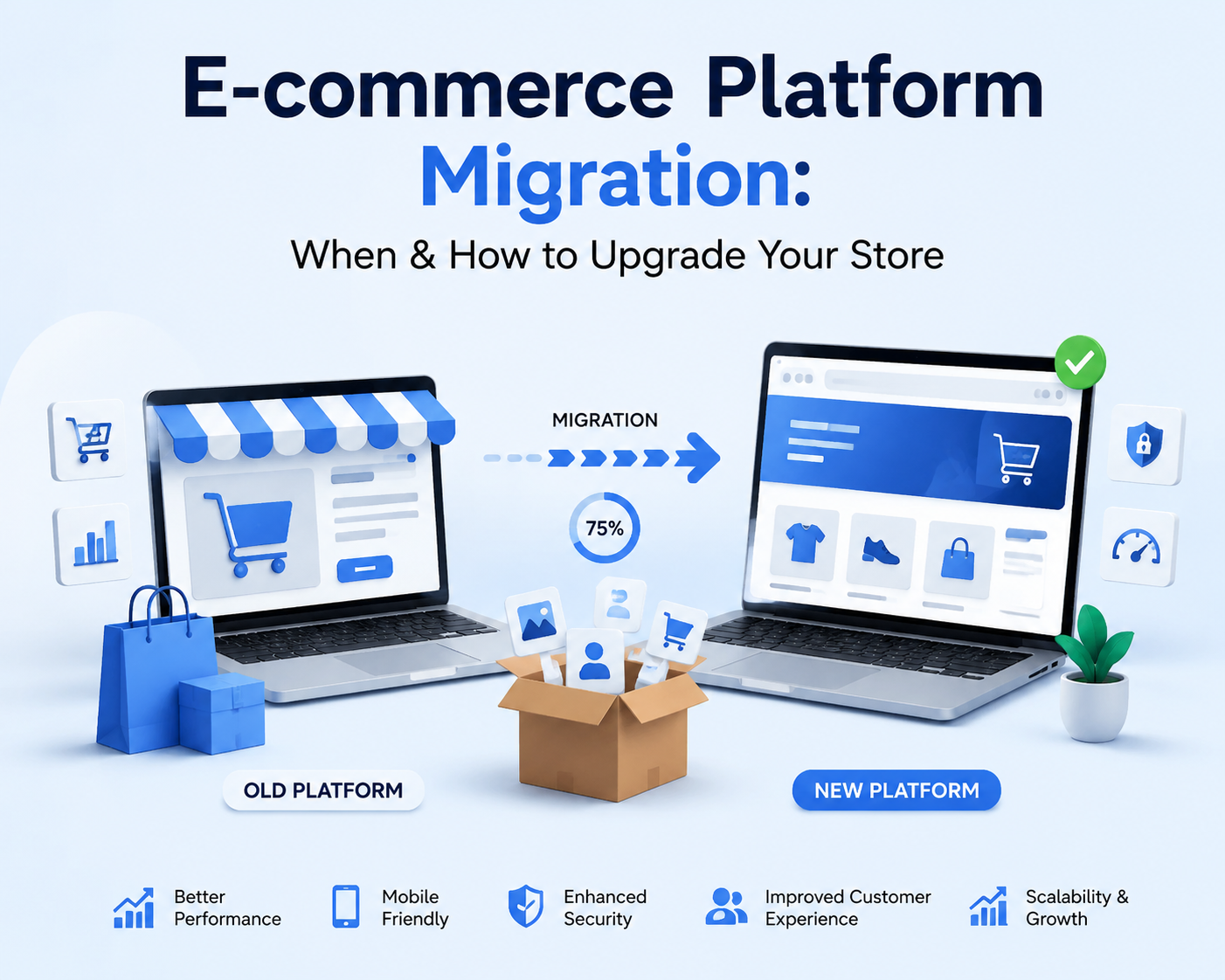
Learn when your online store has outgrown its current platform and how to plan a successful e-commerce migration. This complete guide covers replatforming, WooCommerce, WordPress, SEO migration, products, customers, orders, redirects, integrations, testing, security and ongoing website maintenance.
E-commerce Platform Migration: When & How to Upgrade Your Store in 2026
Running an e-commerce store successfully is not only about attracting visitors and adding new products. The technology behind your store has to keep pace with your business.
A platform that worked perfectly when you had a relatively small catalogue, straightforward checkout process and modest traffic may become restrictive as your business grows. Slow performance, difficult integrations, complicated updates, security concerns, poor mobile usability and increasing maintenance requirements can all become signs that your current e-commerce platform is no longer supporting the business effectively.
That is where e-commerce platform migration—also known as e-commerce replatforming—becomes important.
Migrating an online store is much more complicated than copying products from one website to another. A professional migration can involve products, customers, historical orders, product variations, images, categories, URLs, metadata, redirects, reviews, payment configuration, shipping rules, integrations, analytics, SEO data and numerous operational workflows.
A poorly planned migration can introduce broken URLs, missing data, checkout errors, lost search visibility and disruption to customers.
A carefully planned migration can provide an opportunity to improve performance, simplify management, strengthen SEO, modernise the customer experience and create a better technical foundation for future growth.
At WebCOSS, we develop and support e-commerce websites, WordPress solutions and custom web applications with an emphasis on performance, security, scalability and search-friendly architecture.
This guide explains when to migrate an e-commerce platform, how e-commerce migration works, what data should be transferred, how to protect SEO, what to test before launch and how ongoing website maintenance fits into the process.
What Is E-commerce Platform Migration?
E-commerce platform migration is the process of moving an online store from its existing technology or platform to another environment.
Examples can include:
-
Moving from one hosted e-commerce platform to another
-
Migrating from a hosted platform to WooCommerce
-
Moving from WooCommerce to another platform
-
Rebuilding a legacy custom e-commerce website
-
Moving an outdated WordPress/WooCommerce installation to a modern architecture
-
Migrating to a custom e-commerce solution
-
Moving to new hosting infrastructure
-
Changing domains alongside a platform migration
-
Consolidating multiple stores into one platform
-
Separating one store into regional or brand-specific stores
A migration can therefore range from a relatively straightforward product transfer to a substantial digital transformation project.
Ecommerce Migration vs Replatforming vs RedesignThese terms are often used interchangeably, but they describe slightly different activities.
Ecommerce Data Migration
Data migration focuses on transferring information between systems.
This may include:
-
Products
-
Variations
-
Categories
-
Customers
-
Orders
-
Images
-
Reviews
-
Coupons
-
Stock
-
Metadata
Ecommerce Replatforming
Replatforming means changing the underlying e-commerce platform.
For example:
Existing platform → WooCommerce
or
Legacy custom system → modern e-commerce platform
Replatforming usually includes data migration but also involves rebuilding functionality, integrations, storefront templates and business workflows.
Ecommerce Redesign
A redesign primarily changes the visual experience and user interface.
A business can redesign a store without changing platforms.
Likewise, it can migrate platforms while retaining a very similar visual identity.
Combining migration and redesign is possible, but doing too many major changes simultaneously increases complexity.
Google recommends considering major site changes carefully and, where practical, changing one significant element at a time to make problems easier to identify.
Why Do Businesses Migrate Ecommerce Platforms?Businesses rarely replatform without a reason.
Migration is normally driven by limitations in the current system or requirements the business expects to have in the future.
Common reasons include:
-
Slow website performance
-
Difficult website maintenance
-
Security concerns
-
Poor mobile experience
-
Limited SEO control
-
Difficult content management
-
Increasing technical debt
-
Plugin or extension conflicts
-
Unsupported software
-
Limited integrations
-
Checkout restrictions
-
International expansion
-
B2B requirements
-
Poor inventory management
-
Complex administration
-
Limited reporting
-
Difficulty adding new functionality
-
Hosting limitations
-
Scaling problems
The decision should therefore begin with business requirements rather than simply selecting a fashionable platform.
1. Your Ecommerce Website Has Become Too SlowPerformance problems are one of the clearest warning signs.
An online store can gradually become slower as:
-
Product numbers increase
-
Database tables grow
-
More extensions are installed
-
Tracking scripts accumulate
-
Images become larger
-
Third-party services are added
-
Themes become more complicated
-
Traffic increases
A slow store can affect browsing, product discovery and checkout.
Before migrating, however, determine whether the platform itself is responsible.
Sometimes performance can be significantly improved through:
-
Better hosting
-
Database optimisation
-
Caching
-
Image optimisation
-
CDN configuration
-
Code improvements
-
Removing unnecessary extensions
Replatforming should solve a genuine structural problem—not replace routine performance optimisation.
2. Your Current Platform Is Difficult to MaintainMaintenance requirements often increase as an e-commerce website becomes more complex.
If every update creates another compatibility problem, development becomes reactive.
Teams may spend more time keeping the website operational than improving it.
Warning signs include:
-
Updates regularly break features
-
Extensions are abandoned
-
Core software is outdated
-
Developers are reluctant to modify the system
-
Small changes require excessive work
-
Documentation is missing
-
The original developers are unavailable
-
Custom code depends on outdated technology
At this point, the long-term maintenance burden may justify replatforming.
3. Your Store Cannot Support Business GrowthGrowth changes technical requirements.
A store originally developed for a limited catalogue may eventually need:
-
Thousands of products
-
Advanced variations
-
Multiple warehouses
-
Trade customers
-
Multiple currencies
-
Regional catalogues
-
Customer-specific pricing
-
Automated fulfilment
-
Advanced reporting
-
ERP integration
-
CRM integration
-
Marketing automation
If every new requirement requires a workaround, the platform may no longer be appropriate.
4. Your Platform Restricts Ecommerce SEOOrganic search can be an important acquisition channel for e-commerce businesses.
Your platform should provide sufficient control over:
-
Page titles
-
Meta descriptions
-
URLs
-
Canonicals
-
Structured data
-
XML sitemaps
-
Robots directives
-
Breadcrumbs
-
Product content
-
Category content
-
Internal linking
-
Redirects
-
Image optimisation
Problems become particularly significant when platforms create large numbers of duplicate or low-value URLs.
Faceted navigation, product filters, tracking parameters and variations can potentially generate many URLs.
If your platform makes technical SEO difficult to manage, migration may provide an opportunity to improve the site's architecture.
5. Your Checkout Is Holding Back the Customer ExperienceCheckout is one of the most commercially important areas of an online store.
A problematic checkout might involve:
-
Too many steps
-
Poor mobile usability
-
Confusing validation
-
Limited payment methods
-
Slow page loads
-
Account creation requirements
-
Poor delivery communication
-
Difficult address entry
If the current platform severely restricts checkout improvements, migration can become a strategic consideration.
6. You Need Better IntegrationsModern ecommerce rarely operates independently.
Your store may need to communicate with:
-
CRM
-
ERP
-
Accounting
-
Warehouse management
-
Inventory software
-
Shipping providers
-
Email marketing
-
Product information systems
-
Customer service platforms
-
Analytics tools
-
Marketplace channels
A platform with weak integration capabilities can create repetitive manual work.
Migration to a platform with better APIs and integration options can reduce these limitations.
7. Your Business Needs B2B EcommerceB2B e-commerce often requires more specialised functionality than consumer retail.
Requirements may include:
-
Trade accounts
-
Account approval
-
Wholesale prices
-
Customer-specific pricing
-
Bulk ordering
-
Minimum quantities
-
Purchase orders
-
Quote requests
-
Credit arrangements
-
Multiple users per business
-
VAT workflows
-
Repeat ordering
If these features require excessive workarounds on the existing platform, replatforming may be more sustainable.
8. Security and Updates Are Becoming DifficultE-commerce websites need continuous security attention.
An unsupported platform or outdated extension can create unnecessary risk.
Migration should be considered when:
-
Core software is unsupported
-
Important extensions no longer receive updates
-
Server requirements are outdated
-
Security patches are difficult to implement
-
The platform depends heavily on unsupported custom code
Security alone should not be used as a marketing excuse to migrate, but unsupported infrastructure deserves serious attention.
When Should You NOT Migrate Your Ecommerce Platform?Migration is not automatically the correct solution.
Do not migrate simply because:
-
A competitor uses another platform
-
A new platform is trending
-
You dislike the current theme
-
One plugin has a problem
-
The website needs a visual refresh
-
Performance has never been properly optimised
Sometimes the correct solution is improving the existing website.
A professional technical audit should determine whether the problem is:
Platform limitation
or
Implementation problem.
That distinction can prevent an unnecessary migration.
Choosing the Right Ecommerce PlatformThe right platform depends on your requirements.
Don't start with:
“Which ecommerce platform is best?”
Start with:
“Which platform best supports our products, customers, operations and growth plans?”
Evaluate:
-
Catalogue complexity
-
Order volume
-
Integrations
-
SEO
-
Content requirements
-
Customisation
-
B2B functionality
-
International selling
-
Development resources
-
Security
-
Maintenance
-
Scalability
WooCommerce is an open-source e-commerce platform built around WordPress.
It can be appropriate for businesses that need strong control over both content and commerce.
WooCommerce supports extensive customisation through:
-
Themes
-
Extensions
-
Hooks
-
APIs
-
Custom development
WooCommerce's official documentation also provides migration guidance and tools for moving product data between sites.
Because WooCommerce product information resides within the WordPress database, products can be exported and imported using several methods.
For businesses evaluating WooCommerce, the official WooCommerce documentation provides useful technical and platform information.
WebCOSS can also help businesses evaluate whether WordPress and WooCommerce are appropriate for their requirements.
Shopify as a Migration OptionHosted ecommerce platforms can be attractive for businesses that want more of the infrastructure managed by the platform provider.
Shopify's migration documentation outlines a structured process that includes:
-
Importing content and data
-
Verifying products
-
Configuring design
-
Shipping
-
Tax configuration
-
Payments
-
Test orders
-
Domain configuration
-
SEO
Businesses considering the platform can review the official Shopify migration documentation.
The platform decision should still be based on business requirements rather than brand popularity.
Custom Ecommerce DevelopmentSome businesses cannot efficiently operate within a conventional e-commerce configuration.
Custom development may be appropriate when you need:
-
Complex product configurators
-
Special pricing logic
-
Bespoke checkout
-
Custom customer portals
-
Advanced automation
-
Unique marketplace functionality
-
Proprietary integrations
-
Special inventory workflows
Custom development provides flexibility but also creates responsibility for ongoing development and maintenance.
The benefits should therefore justify the additional complexity.
How to Plan an Ecommerce Platform MigrationMigration should be treated as a structured project rather than an import/export task.
A strong process includes:
-
Discovery
-
Audit
-
Requirements definition
-
Platform selection
-
Data mapping
-
SEO mapping
-
Design and development
-
Integration development
-
Data migration
-
Testing
-
Launch preparation
-
Migration
-
Post-launch monitoring
Let's examine these stages.
Step 1: Audit Your Existing Ecommerce WebsiteBefore rebuilding anything, understand what already exists.
Create an inventory of:
-
Products
-
Categories
-
Customers
-
Orders
-
Pages
-
Blog posts
-
Reviews
-
Coupons
-
Redirects
-
Integrations
-
Extensions
-
Payment gateways
-
Shipping rules
-
Analytics
-
Tracking
-
SEO configuration
Also identify what should not be migrated.
Migration is an opportunity to remove obsolete content and unnecessary functionality.
Step 2: Define Your Migration ObjectivesWhat problem is the migration supposed to solve?
Possible objectives include:
-
Improve performance
-
Improve mobile experience
-
Reduce technical debt
-
Improve SEO control
-
Simplify administration
-
Add B2B functionality
-
Improve checkout
-
Enable international expansion
-
Improve integrations
-
Improve scalability
Objectives should be measurable wherever possible.
Otherwise, the migration can become an expensive redesign without a clear definition of success.
Step 3: Document Functional RequirementsCreate a complete list of required functionality.
Separate it into:
Essential
Features required for launch.
Important
Features that provide significant value but are not launch blockers.
Future
Features that can be introduced after migration.
This keeps the migration focused.
Step 4: Create a Complete Data InventoryIdentify everything that needs transferring.
Product Data
-
Product ID
-
SKU
-
Product name
-
Description
-
Short description
-
Categories
-
Tags
-
Attributes
-
Variations
-
Prices
-
Images
-
Stock
-
Weight
-
Dimensions
-
SEO metadata
Customer Data
-
Customer ID
-
Name
-
Email
-
Address
-
Account information
-
Marketing preferences
Handle personal data carefully and according to applicable privacy requirements.
Order Data
Depending on the migration strategy:
-
Order number
-
Customer
-
Products
-
Totals
-
Tax
-
Delivery
-
Status
-
Dates
Content
Don't forget:
-
Pages
-
Blog articles
-
FAQs
-
Guides
-
Images
-
Downloadable resources
Migration is an excellent opportunity to improve data quality.
Identify:
-
Duplicate products
-
Missing SKUs
-
Broken images
-
Obsolete products
-
Empty categories
-
Inconsistent attributes
-
Duplicate customers
-
Outdated pages
-
Unused coupons
Migrating poor-quality data simply transfers old problems to the new platform.
Step 6: Back Up EverythingNever begin a major migration without reliable backups.
Back up:
-
Database
-
Website files
-
Product images
-
Configuration
-
Custom code
-
Integration settings
-
SEO exports
-
Analytics data where relevant
For WooCommerce specifically, official guidance recommends having a current backup and testing major changes on staging. WooCommerce data spans both the WordPress database and the wp-content directory, so both need consideration.
The new ecommerce website should be developed away from the live store.
A staging environment allows developers to:
-
Import data
-
Build functionality
-
Configure integrations
-
Test checkout
-
Test responsive layouts
-
Audit SEO
-
Test performance
Search engines should normally be prevented from indexing the staging environment.
However, those restrictions must be removed correctly when the website launches.
Accidentally launching with noindex directives is a serious migration mistake.
This is one of the most important SEO tasks.
Export your existing URLs.
Include:
-
Products
-
Categories
-
Pages
-
Blog posts
-
Important filter pages where appropriate
Create a mapping:
Old URL → New equivalent URL
Avoid simply redirecting everything to the homepage.
Google specifically advises redirecting old URLs to relevant new destinations rather than sending many unrelated URLs to one page.
Step 9: Preserve High-Value SEO PagesIdentify pages that currently generate:
-
Organic traffic
-
Conversions
-
Backlinks
-
Search impressions
-
Rankings
These pages deserve special attention.
Preserve their:
-
Search intent
-
Core content
-
Metadata where appropriate
-
Internal links
-
URL where practical
A redesign is not a reason to discard content that already performs well.
Step 10: Plan 301 RedirectsWhen URLs change, permanent redirects should connect old pages to their most relevant new equivalents.
Google recommends server-side permanent redirects such as 301 or 308 where possible.
Avoid:
Old URL → temporary URL → another URL → final URL
Redirect chains add unnecessary complexity.
Where possible:
Old URL → final URL
Step 11: Rebuild the Ecommerce ArchitectureA migration is an opportunity to improve website architecture.
Aim for a structure that is logical for both customers and search engines.
For example:
Home
→ Category
→ Subcategory
→ Product
The precise hierarchy depends on your catalogue.
Avoid unnecessarily deep navigation.
Important products should not require customers to click through many unrelated levels.
Step 12: Design Mobile-FirstDon't recreate desktop pages and then squeeze them onto mobile.
Design important mobile journeys deliberately.
Test:
-
Header
-
Navigation
-
Search
-
Categories
-
Filters
-
Product pages
-
Variations
-
Add to basket
-
Basket
-
Checkout
-
Account
Mobile usability should be part of the migration requirements from the beginning.
Step 13: Migrate Product DataProducts are usually among the largest migration components.
After importing, validate:
-
Product count
-
SKUs
-
Names
-
Descriptions
-
Categories
-
Attributes
-
Variations
-
Prices
-
Images
-
Stock
-
Product status
Do not assume that a successful import means the data is correct.
WooCommerce's migration documentation confirms that product information can be moved using built-in WordPress mechanisms as well as other migration methods.
Step 14: Migrate Customer Data CarefullyCustomer data requires particular care.
Verify:
-
Customer count
-
Email addresses
-
Addresses
-
Account relationships
-
Order relationships
-
Marketing consent
Password migration can be complicated because platforms may use different hashing and authentication methods.
Do not assume passwords can simply be exported and imported.
A secure password-reset strategy may be required.
Step 15: Migrate Historical OrdersDetermine whether historical orders are required on the new platform.
For some businesses they are operationally important.
For others, historical information can be archived separately.
If orders are migrated, validate:
-
Order numbers
-
Customer relationships
-
Product relationships
-
Statuses
-
Dates
-
Totals
-
Tax
-
Shipping
Historical reporting should also be considered.
Step 16: Rebuild Payment IntegrationsNever assume payments work simply because the payment gateway is connected.
Test:
-
Successful payment
-
Failed payment
-
Cancelled payment
-
Refund
-
Confirmation email
-
Order status
-
Payment callbacks/webhooks
Use appropriate testing or sandbox environments where providers support them.
Step 17: Rebuild Shipping RulesShipping logic can become surprisingly complex.
Validate:
-
Delivery zones
-
Delivery methods
-
Free-delivery conditions
-
Weight rules
-
Product-specific rules
-
Collection
-
International delivery
-
Courier integrations
Run test orders using different addresses and basket combinations.
Step 18: Reconnect Business IntegrationsDocument every integration before migration.
Examples:
-
ERP
-
CRM
-
Accounting
-
Inventory
-
Fulfilment
-
Email
-
Reviews
-
Analytics
-
Advertising
-
Customer service
For each integration document:
System → Data → Direction → Frequency → Authentication → Failure handling
This prevents important integrations from being forgotten.
Step 19: Rebuild Analytics and Conversion TrackingYour migration should not destroy your measurement framework.
Validate:
-
Analytics
-
Ecommerce tracking
-
Conversion events
-
Advertising pixels
-
Consent configuration
-
Search Console
-
Tag management
Record baseline data before migration so you can compare post-launch behaviour.
Step 20: Conduct a Pre-Launch SEO AuditBefore launch, crawl the new website.
Check:
-
Titles
-
Meta descriptions
-
H1s
-
Canonicals
-
Robots directives
-
XML sitemap
-
Internal links
-
Broken links
-
Structured data
-
Image alt text
-
Pagination
-
Indexability
Most importantly, verify that staging restrictions will not carry into production.
Ecommerce SEO Migration: How to Protect Google VisibilitySEO is one of the biggest migration concerns.
Google's official site-move documentation recommends preparing the new website, creating URL mappings, implementing redirects and monitoring both old and new URLs after migration.
Google also notes that ranking fluctuations can occur temporarily while URLs are recrawled and reindexed.
That makes monitoring essential.
Preserve Metadata Where It Still WorksDon't automatically rewrite every title and description during migration.
If an existing product or category performs well, changing:
-
URL
-
Content
-
Title
-
Description
-
Internal links
-
Design
all at once makes it harder to determine why performance changes.
Improve content where necessary, but preserve successful elements where appropriate.
Canonical TagsAfter migration, canonical tags should reference the correct preferred URLs.
Watch for:
-
Old-domain canonicals
-
Staging-domain canonicals
-
HTTP URLs
-
Incorrect product canonicals
Google specifically recommends checking canonical annotations during site moves.
XML SitemapGenerate a clean XML sitemap containing the new canonical URLs.
Submit it through Google Search Console.
Google recommends submitting the new sitemap after a site move to help discovery of the new URLs.
Internal LinksUpdate internal links directly.
Don't rely on redirects for your own navigation.
Instead of:
Internal page → old URL → redirect → new URL
use:
Internal page → new URL
This improves efficiency for both users and crawlers.
Ecommerce Migration and Website PerformanceA migration is an opportunity to improve performance—but a new platform does not automatically create a faster store.
Performance depends on:
-
Hosting
-
Architecture
-
Theme
-
Plugins
-
Images
-
Scripts
-
Database
-
Integrations
-
Caching
Measure performance before and after migration.
Image MigrationEcommerce sites often contain thousands of images.
Verify:
-
Main product images
-
Galleries
-
Variation images
-
Category images
-
Blog images
-
Alt text
Where possible, optimise image dimensions and compression.
Avoid accidentally migrating enormous source images directly into storefront templates.
Structured DataProduct structured data can help search engines understand ecommerce content.
Depending on the website and eligible content, relevant structured information can include:
-
Product
-
Offer
-
Breadcrumb
-
Organisation
Structured data must accurately reflect visible content.
Ecommerce Migration Testing ChecklistBefore launch, test the website as if you were a customer.
Homepage
Check:
-
Navigation
-
Search
-
Promotional links
-
Categories
-
Mobile layout
Category
Check:
-
Products
-
Pagination
-
Filters
-
Sorting
-
URLs
Product
Check:
-
Images
-
Variations
-
Stock
-
Add to basket
-
Related products
Basket
Check:
-
Quantity
-
Removal
-
Discounts
-
Totals
Checkout
Check:
-
Guest checkout
-
Account checkout
-
Address validation
-
Shipping
-
Payments
-
Confirmation
Account
Check:
-
Registration
-
Login
-
Password reset
-
Order history
-
Addresses
Review:
-
HTTPS
-
Administrator permissions
-
Authentication
-
API credentials
-
Form validation
-
Backups
-
Logging
-
Update process
Never copy production credentials unnecessarily into insecure development environments.
Accessibility TestingMigration is also a good opportunity to improve accessibility.
Review:
-
Keyboard navigation
-
Form labels
-
Focus states
-
Contrast
-
Alt text
-
Heading structure
-
Error messages
Accessible design usually improves general usability as well.
When Should You Launch an Ecommerce Migration?Avoid unnecessary risk.
Where possible, don't launch:
-
Immediately before major promotions
-
During peak trading periods
-
Just before key staff leave
-
When technical support is unavailable
Google recommends timing site moves during lower-traffic periods where practical.
Launch Day ProcessA controlled launch can include:
-
Put the old store into an appropriate controlled state.
-
Take a final database/data export.
-
Import changed orders/customers/products.
-
Deploy the production website.
-
Update DNS where required.
-
Enable redirects.
-
Remove staging indexing restrictions.
-
Test checkout.
-
Test payments.
-
Test integrations.
-
Crawl important URLs.
-
Verify analytics.
-
Verify Search Console.
-
Submit sitemap.
-
Monitor logs.
Have a rollback plan.
Post-Migration MonitoringMigration isn't finished when the new homepage appears.
Monitor:
-
Revenue and orders
-
Checkout errors
-
Payment failures
-
404s
-
Server errors
-
Search traffic
-
Indexing
-
Rankings
-
Conversion rates
-
Website speed
-
Customer support issues
Compare this information with pre-migration baselines.
How Long Should 301 Redirects Remain?Don't remove redirects shortly after launch.
Google recommends keeping migration redirects for as long as possible and generally at least one year so signals have time to transfer.
For user experience, keeping useful legacy redirects longer can often make sense.
Ecommerce Migration and Website MaintenanceMigration and maintenance are closely connected.
A common mistake is investing heavily in a new store and then neglecting it after launch.
An ecommerce website continues changing because:
-
Browsers change
-
Plugins update
-
Payment providers change
-
APIs evolve
-
Security threats evolve
-
Products change
-
Search requirements change
Ongoing maintenance should therefore form part of your migration strategy.
What Does Ecommerce Website Maintenance Include?Professional ecommerce maintenance can include:
-
Backups
-
Software updates
-
Security monitoring
-
Performance monitoring
-
Uptime checks
-
Error monitoring
-
Plugin updates
-
Theme updates
-
Database optimisation
-
Checkout testing
-
Payment testing
-
Broken-link checks
-
SEO monitoring
-
Compatibility testing
For WordPress and WooCommerce websites, updates should be handled carefully.
WooCommerce recommends maintaining backups and testing updates on staging where possible.
Monthly Website Maintenance Cost: What Determines It?Businesses researching monthly website maintenance cost often expect a single standard answer.
There isn't one.
Maintenance requirements depend on:
-
Website size
-
Platform
-
Traffic
-
Ecommerce functionality
-
Integrations
-
Update frequency
-
Security requirements
-
Backup frequency
-
Support level
-
Development requirements
A straightforward WordPress website and a large WooCommerce store should not be expected to have identical maintenance requirements.
This is why a maintenance plan should be based on actual technical responsibility rather than an arbitrary package.
Website Maintenance Cost UK: What Should Businesses Compare?When comparing website maintenance cost UK options, look beyond the headline package.
Ask what is actually included.
Does maintenance include:
-
Backups?
-
Restore support?
-
Security updates?
-
Plugin updates?
-
Testing?
-
Performance monitoring?
-
Ecommerce checkout testing?
-
Developer support?
-
Error investigation?
A cheaper maintenance plan that simply installs updates automatically may provide a very different service from a plan that tests critical ecommerce functionality.
WordPress Website Cost UK and MigrationBusinesses researching WordPress website cost UK should consider more than initial development.
The long-term requirements can include:
-
Hosting
-
Maintenance
-
Updates
-
Backups
-
Security
-
Performance
-
Development
-
SEO
This does not mean WordPress is inherently expensive.
It means the correct comparison is the total operational responsibility of the website rather than only the initial build.
WooCommerce Maintenance After MigrationWooCommerce combines WordPress with ecommerce functionality, which means maintenance can involve:
-
WordPress core
-
WooCommerce
-
Theme
-
Extensions
-
Payment gateways
-
Custom code
-
Database
-
Hosting
Compatibility matters.
For example, a major WooCommerce update should not simply be applied to a critical production store without appropriate backups and testing.
WooCommerce's own update documentation recommends current backups and staging tests where possible.
Ecommerce Migration Mistakes to AvoidMistake 1: Migrating Without an Audit
You cannot reliably migrate what you don't understand.
Mistake 2: Forgetting SEO
SEO migration should begin before development, not after launch.
Mistake 3: Redirecting Everything to the Homepage
Create relevant one-to-one mappings wherever possible.
Mistake 4: Forgetting Customer Data
Products aren't the only important records.
Mistake 5: Ignoring Integrations
A beautiful website is useless if fulfilment or inventory workflows fail.
Mistake 6: Not Testing Checkout
Never assume checkout works.
Test it.
Mistake 7: Launching at Peak Time
Reduce unnecessary operational risk.
Mistake 8: No Rollback Plan
Always have a recovery strategy.
Mistake 9: No Post-Launch Monitoring
Many migration problems only become visible after real customers begin using the new website.
Mistake 10: Treating Migration as Finished at Launch
Maintenance, SEO monitoring and optimisation continue afterwards.
Ecommerce Migration ChecklistBefore launch, confirm:
-
Existing website audited
-
Requirements documented
-
New platform selected
-
Complete backup created
-
Product data migrated
-
Customer data migrated
-
Orders migrated where required
-
Images migrated
-
Categories migrated
-
Content migrated
-
Integrations rebuilt
-
Payments tested
-
Shipping tested
-
Analytics configured
-
SEO metadata checked
-
Redirect mapping completed
-
Canonicals checked
-
Sitemap generated
-
Robots directives checked
-
Mobile tested
-
Performance tested
-
Security reviewed
-
Accessibility reviewed
-
Rollback plan documented
-
Post-launch monitoring prepared
An ecommerce migration requires more than transferring a database.
The development team needs to understand how the store works commercially and technically.
WebCOSS can support businesses with:
-
Ecommerce website development
-
Ecommerce platform migration
-
WooCommerce development
-
WordPress development
-
Custom web development
-
Data migration
-
API integrations
-
Ecommerce SEO
-
Technical SEO
-
Performance optimisation
-
Website maintenance
-
Security improvements
-
Custom functionality
The objective should not simply be to reproduce an old store on a new platform.
A migration should solve the problems that justified moving in the first place.
Planning an Ecommerce Migration with WebCOSSBefore discussing a migration, gather:
-
Current website URL
-
Current platform
-
Product count
-
Customer count
-
Order requirements
-
Integrations
-
Payment gateways
-
Shipping rules
-
SEO requirements
-
Business goals
-
Current technical problems
-
Desired future functionality
This gives developers a much clearer understanding of migration complexity.
Visit WebCOSS to learn more about web development, WordPress, ecommerce and custom digital solutions.
For platform-specific technical information, businesses can also consult the official WooCommerce documentation and Shopify migration documentation.
For SEO-sensitive migrations, Google's official site migration guidance is particularly important because it explains URL mapping, permanent redirects, canonicalisation, Search Console and post-migration monitoring.
Blog FAQsWhat is ecommerce platform migration?
Ecommerce platform migration is the process of moving an online store from one technology platform or environment to another. It can involve products, customers, orders, images, content, URLs, SEO metadata, payment configuration, shipping rules and integrations.
What is ecommerce replatforming?
Ecommerce replatforming is a broader migration in which the underlying commerce technology changes. It usually involves data migration plus rebuilding the storefront, functionality, integrations and operational workflows.
How do I know when my ecommerce store needs migrating?
Common warning signs include persistent performance problems, difficult maintenance, unsupported technology, poor SEO control, limited integrations, scaling limitations, restrictive checkout functionality and increasing technical debt.
Should I migrate my ecommerce website just because it is slow?
Not necessarily. First determine whether the problem comes from hosting, images, scripts, database queries, plugins or poor implementation. Optimising the existing store may be simpler than migrating.
Can I migrate an ecommerce website without losing SEO?
A well-planned migration can substantially reduce SEO risk, but temporary ranking fluctuations are possible. Google recommends preparing URL mappings, using permanent redirects where appropriate, updating canonical tags, submitting the new sitemap and monitoring the migration through Search Console.
Will ecommerce rankings drop after migration?
They can fluctuate temporarily while search engines crawl and process the new URLs. Google explicitly notes that significant site changes can produce temporary ranking fluctuations.
Do I need 301 redirects when migrating?
If existing URLs change, old URLs should generally redirect permanently to the closest relevant new equivalents. Google recommends server-side permanent redirects such as 301 or 308 where possible.
How long should redirects remain after migration?
Google recommends keeping migration redirects for as long as possible and generally at least one year.
What ecommerce data should be migrated?
Depending on the business, migration may include products, variations, categories, customers, orders, reviews, images, coupons, content, SEO metadata, inventory and integration-related data.
Can WooCommerce products be migrated?
Yes. WooCommerce provides official guidance covering multiple approaches for moving product information between sites.
Can I migrate from Shopify to WooCommerce?
Yes. WooCommerce provides migration documentation for businesses moving from several platforms, including Shopify.
Can I migrate from WooCommerce to Shopify?
Yes. Shopify provides official migration guidance for moving stores from other platforms, including WooCommerce.
Should I redesign my website during migration?
You can, but combining a major redesign, URL restructure and platform change increases complexity. Where practical, isolate major changes so performance issues are easier to identify.
Should customer passwords be migrated?
It depends on the source and destination platforms and how passwords are stored. Password hashes are not always portable between systems. A secure password-reset process may be necessary.
Do historical orders need to be migrated?
That depends on operational, customer-service, accounting and reporting requirements. Determine this during discovery rather than assuming every historical record must be imported.
What should be tested before an ecommerce migration goes live?
Test navigation, search, categories, filters, products, variations, stock, basket, checkout, payments, shipping, customer accounts, emails, integrations, mobile usability, analytics, SEO, redirects, security and performance.
What happens after an ecommerce migration?
Monitor orders, payments, errors, 404s, organic traffic, Search Console, indexing, performance and customer feedback. Migration should include a defined post-launch monitoring period.
Why is website maintenance important after migration?
Ecommerce software, integrations, payment systems and security requirements continue changing after launch. Regular maintenance helps keep the website compatible, secure and reliable.
What determines monthly website maintenance cost?
The level of maintenance depends on platform complexity, ecommerce functionality, traffic, integrations, security requirements, backup requirements, support expectations and development needs. There is no meaningful single maintenance requirement for every website.
What affects website maintenance cost in the UK?
Important factors include the type of website, software stack, number of integrations, ecommerce functionality, update requirements, monitoring, backups, security and the amount of developer support required.
What should I consider when researching WordPress website cost UK?
Consider the complete lifecycle rather than only initial development. Hosting, maintenance, backups, security, performance, SEO and future development can all form part of the long-term requirements.
Does WooCommerce require regular maintenance?
Yes. WooCommerce stores rely on WordPress, WooCommerce itself, themes, extensions and often custom integrations. Updates, backups, compatibility checks and critical customer journeys should be maintained regularly. WooCommerce recommends backups and staging tests before significant updates where possible.
Can WebCOSS migrate an existing ecommerce website?
WebCOSS can assess existing ecommerce architecture and help plan development, migration, WooCommerce implementation, integrations, technical SEO, performance and ongoing maintenance according to project requirements.
What is the safest way to migrate an ecommerce website?
The safest approach is structured: audit the existing system, document requirements, create backups, develop on staging, map data and URLs, test integrations and checkout, prepare redirects, perform controlled deployment and monitor the new store after launch.
What is the biggest ecommerce migration mistake?
Treating migration as a simple product import. Ecommerce websites contain interconnected product, customer, order, SEO, payment, shipping and integration data. Missing one critical dependency can affect the entire customer journey.
ConclusionE-commerce platform migration can be one of the most important technical changes an online retailer makes.
But migration should not happen simply because another platform looks newer.
The decision should be based on genuine business requirements.
If your current store is difficult to maintain, slow, restrictive, hard to integrate, difficult to optimise for SEO or unable to support future growth, replatforming may provide a better long-term foundation.
Successful migration requires careful attention to:
-
Data
-
SEO
-
URLs
-
Redirects
-
Products
-
Customers
-
Orders
-
Payments
-
Shipping
-
Integrations
-
Security
-
Performance
-
Testing
-
Maintenance
The objective is not merely to move your online store.
The objective is to build a better platform for what your ecommerce business needs next.
If you are considering an ecommerce migration, WooCommerce migration, WordPress ecommerce rebuild or custom online-store development, visit WebCOSS to discuss your requirements.
Frequently Asked Questions
Quick answers related to this article.
Which e-commerce platform is best?
There is no single best platform. The right choice depends on catalogue size, budget, integrations, internal resources, customisation needs and expected growth.
What data should be backed up before migration?
Back up products, customers, orders, content, website files, databases, configuration information and any other information required to restore the existing store.
Should I redesign my website at the same time?
It can be efficient to redesign during migration, but doing both increases project complexity. The decision should depend on the condition of the existing design and the goals of the migration.
Do I need 301 redirects after migration?
You need redirects whenever important URLs change. Proper 301 redirects help customers and search engines find the new location of old pages.
How long does e-commerce migration take?
Simple migrations may take several weeks, while stores with large catalogues, complex integrations or custom functionality may take several months.
Can customer accounts be transferred?
Customer information can usually be transferred, but passwords may require customers to reset them because platforms often use different password encryption systems.
Can I migrate from Shopify to WooCommerce?
Yes. Products, customers, orders and content can be migrated, although functionality, apps and checkout workflows may need to be recreated using WooCommerce-compatible solutions.
Should I migrate from WooCommerce to Shopify?
It depends on your priorities. Shopify may suit businesses wanting managed infrastructure and simplified administration, while WooCommerce can provide greater WordPress integration and development flexibility.
Will migrating my e-commerce website affect SEO?
Migration can temporarily affect search visibility, particularly when URLs and website structure change. Proper URL mapping, 301 redirects, metadata migration and technical SEO testing can significantly reduce the risk.
What is e-commerce platform migration?
E-commerce platform migration is the process of transferring an online store from one platform to another, including products, customers, orders, content, SEO information and integrations.
Tell us about your project
Send the key details and WebCOSS will reply with practical next steps.
Need help planning or improving your digital platform?
WebCOSS can help translate your goals into a practical website, ecommerce, SEO or custom software roadmap.